
How to Write a Novel with AI in 4 Steps (2026 Tutorial)
Write a novel with AI step by step: build the world, plan a three-level outline, draft 4,000 characters a day, plus a checklist and 30-day plan.
In this article 7 sections
Why AI Writing Is Not “Cutting Corners”
Many authors misunderstand AI writing and think it is a shortcut. The opposite is true: authors who use AI well actually need stronger creative skills. You have to give clear direction, judge the quality of what AI produces, and step in by hand at key plot points.
AI is your writing team, and you are the director.
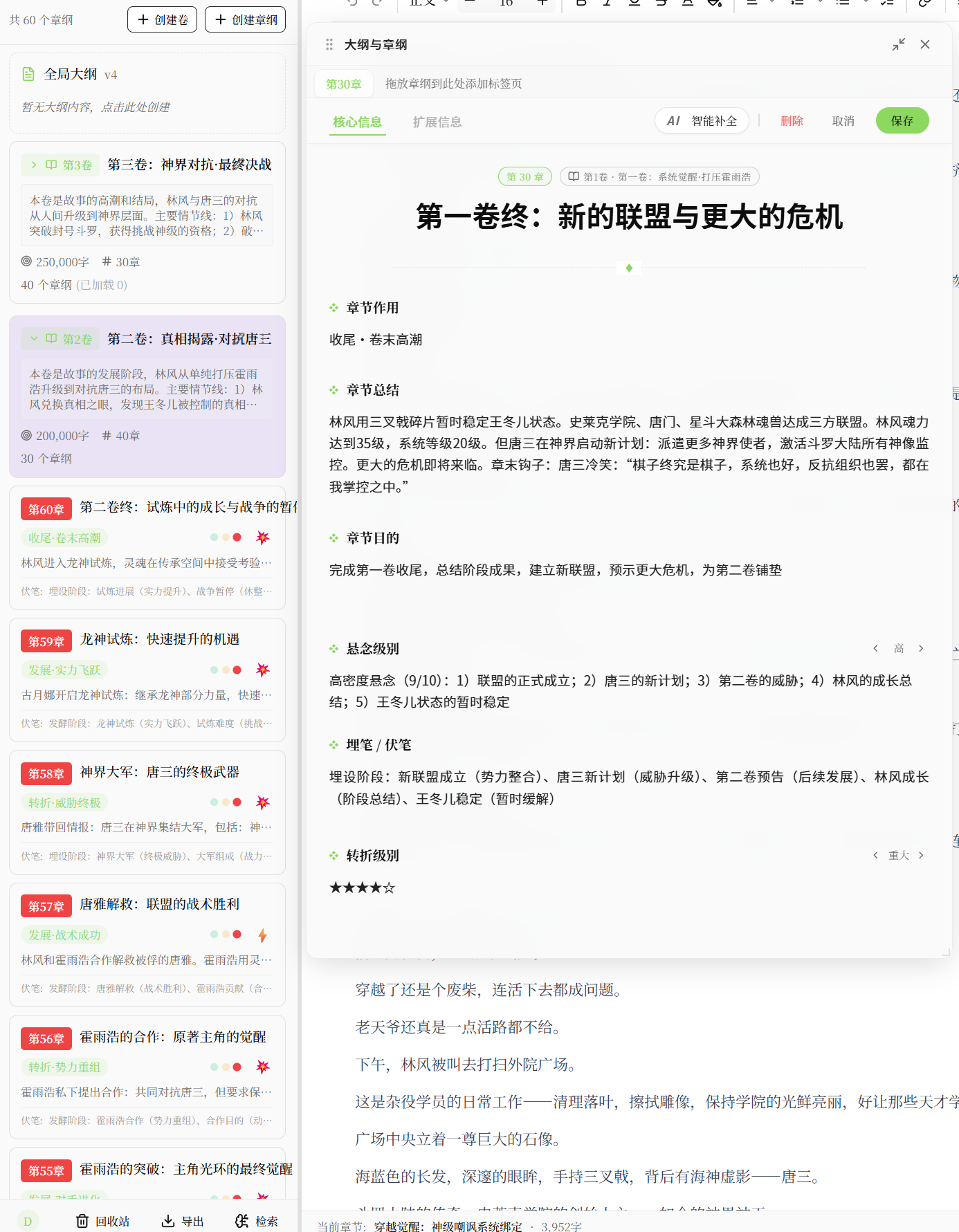
Step 1: Build the World Setting
In Maliang Writer, before you start writing, first set up the basic world in the story bible management module:
- The power system (cultivation levels, magic rules)
- Geographic background (continent maps, important locations)
- Main factions (sects, kingdoms, organizations)
- Core character files
AI draws on these settings automatically when it writes the body text, keeping everything consistent from start to finish.
Step 2: Plan the Story Structure with a Three-Level Outline
The three-level outline system is the core tool for keeping a long novel from being abandoned halfway:
- Master outline: the book’s central conflict, the protagonist’s growth arc and the direction of the ending
- Volume outline: the goals and key events of each 30,000–50,000-character stage
- Chapter blueprint: the specific plot points of each 800–2,000-character chapter
Let AI derive the volume outlines from the master outline, generate chapter blueprints from the volume outlines, and finally output the body text.
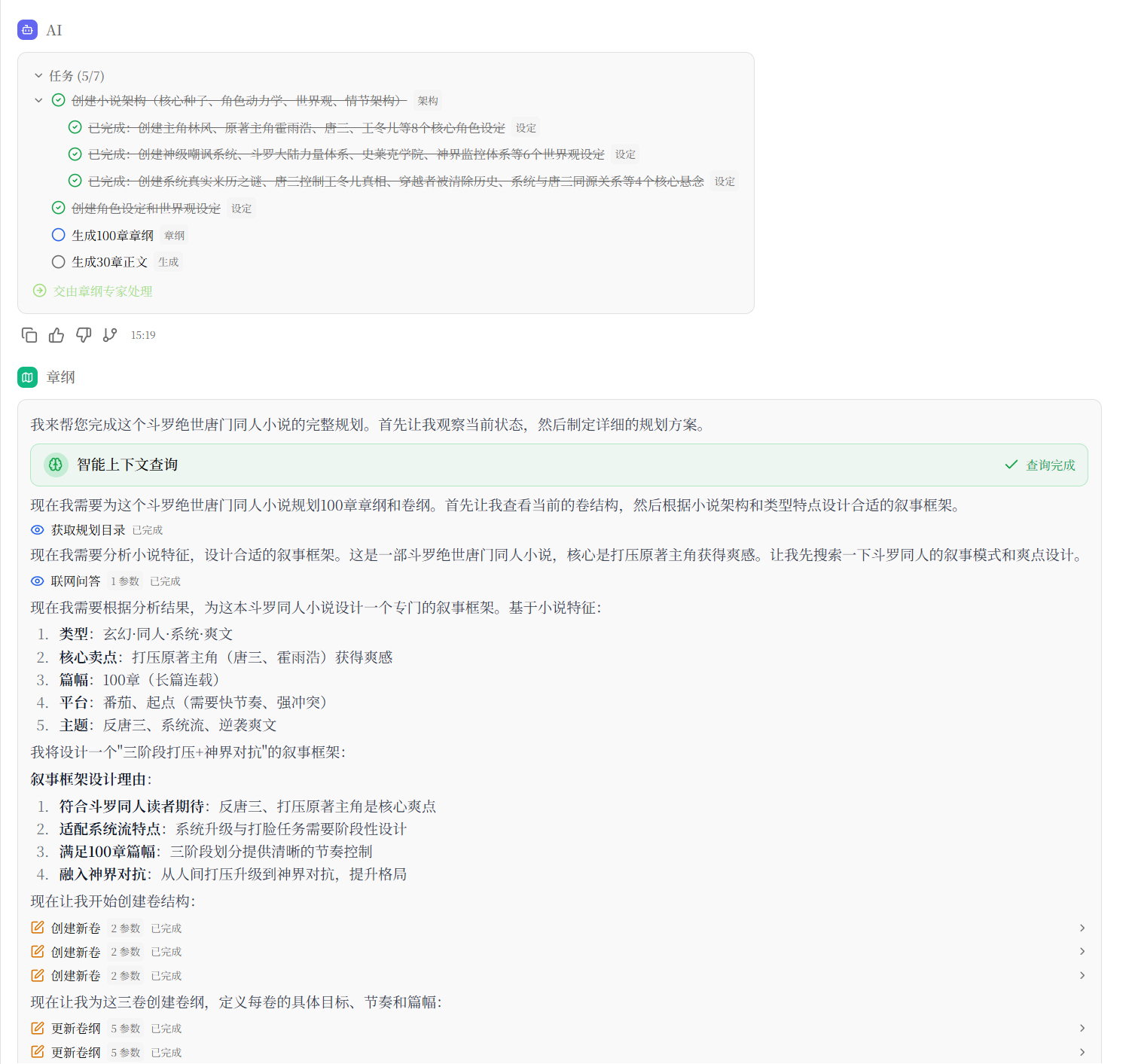
Step 3: Multi-Agent Collaboration to Generate the Body Text
In Maliang Writer, several AI roles divide the work and collaborate (see What Is Multi-Agent Writing? for details):
| Role | Responsibility |
|---|---|
| Lead assistant | Talks plot with you, reads the earlier text and archives, plans chapter outlines and arranges the next step |
| Writer agent | Writes the body text from the chapter outline and earlier text; its model can be chosen separately |
| Archivist | After a chapter is written, organizes character states, relationships and foreshadowing |
| Reviewer | When needed, independently picks out problems, offering suggestions only and never editing the draft |
Once the body text is written into the editor, you can see paragraph by paragraph what changed, and keep or restore each change.
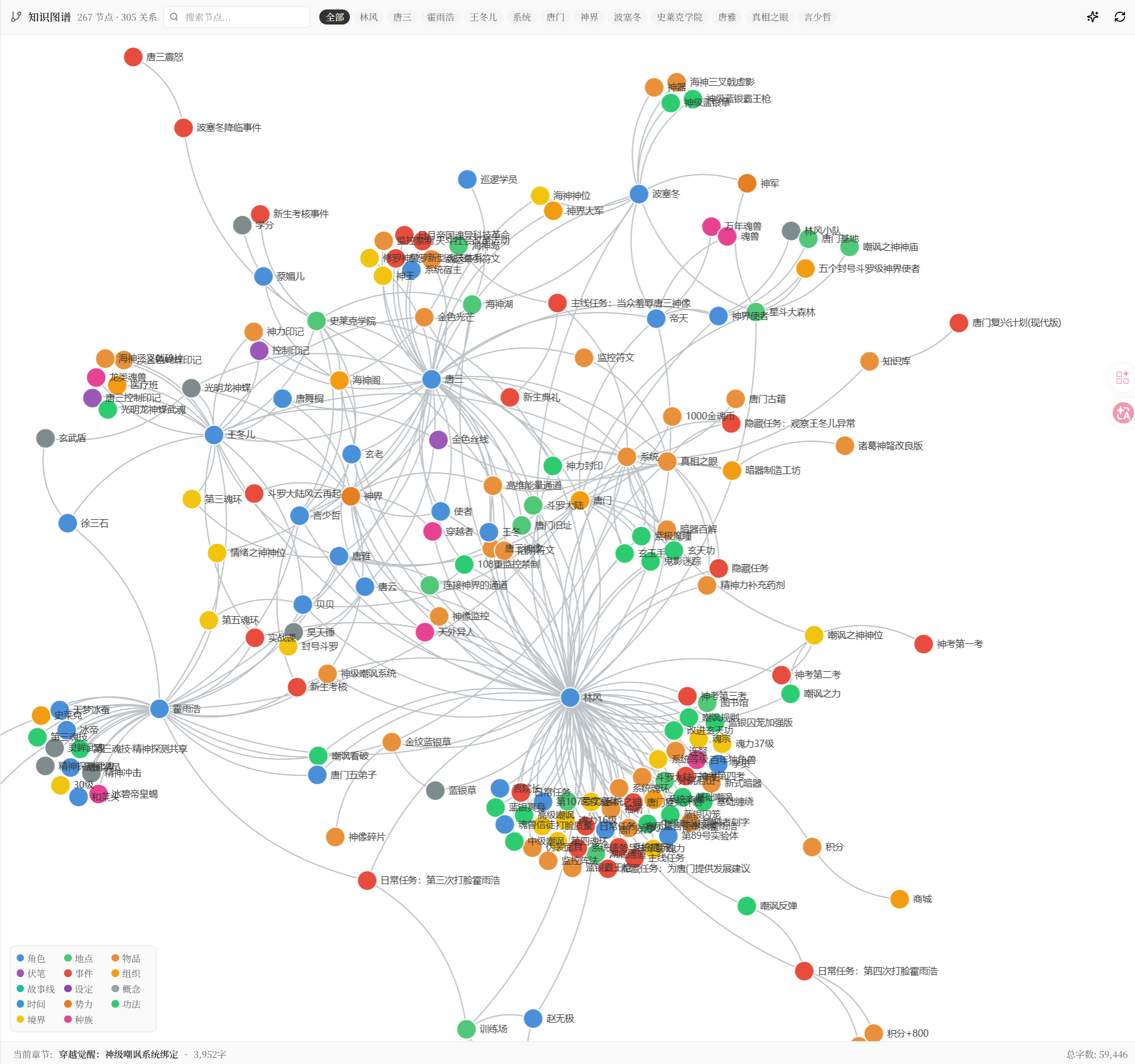
Step 4: The Knowledge Graph Prevents “Continuity Errors”
Everything generated is automatically updated into the knowledge graph, which tracks:
- Each character’s current state (location, level, relationships)
- Items and magic artifacts that have appeared
- Plot information that has been revealed
When AI is about to generate the next chapter, it first searches the knowledge graph, to avoid rookie mistakes like “the protagonist killed the enemy in the last chapter, and the enemy is alive again in the next”.
Practical Advice
- Don’t depend on AI the whole way: write climactic chapters and key plot turns by hand, and let AI handle batch production of the everyday chapters
- Review what is generated every day: AI may occasionally “go off track”, and correcting it promptly costs less than reworking later
- Make full use of the imitation-writing feature: analyze the pacing and payoff placement of hit novels and let AI learn their narrative techniques
Summary
The right way to write a novel with AI is: people supply the soul, AI does the execution. Set up your settings and outline well, leave the rest to AI for batch production, and focus on quality control and creative refinement.