
Building a Three-Level Outline: Master Plan, Volumes, Chapters
Build a long novel's skeleton in three layers: master outline for the ending, volume outlines for stage peaks, chapter blueprints for each chapter's conflict.

In this article 5 sections
The outline is now divided into three parts, the master outline, volumes and chapters, written mainly in two places:
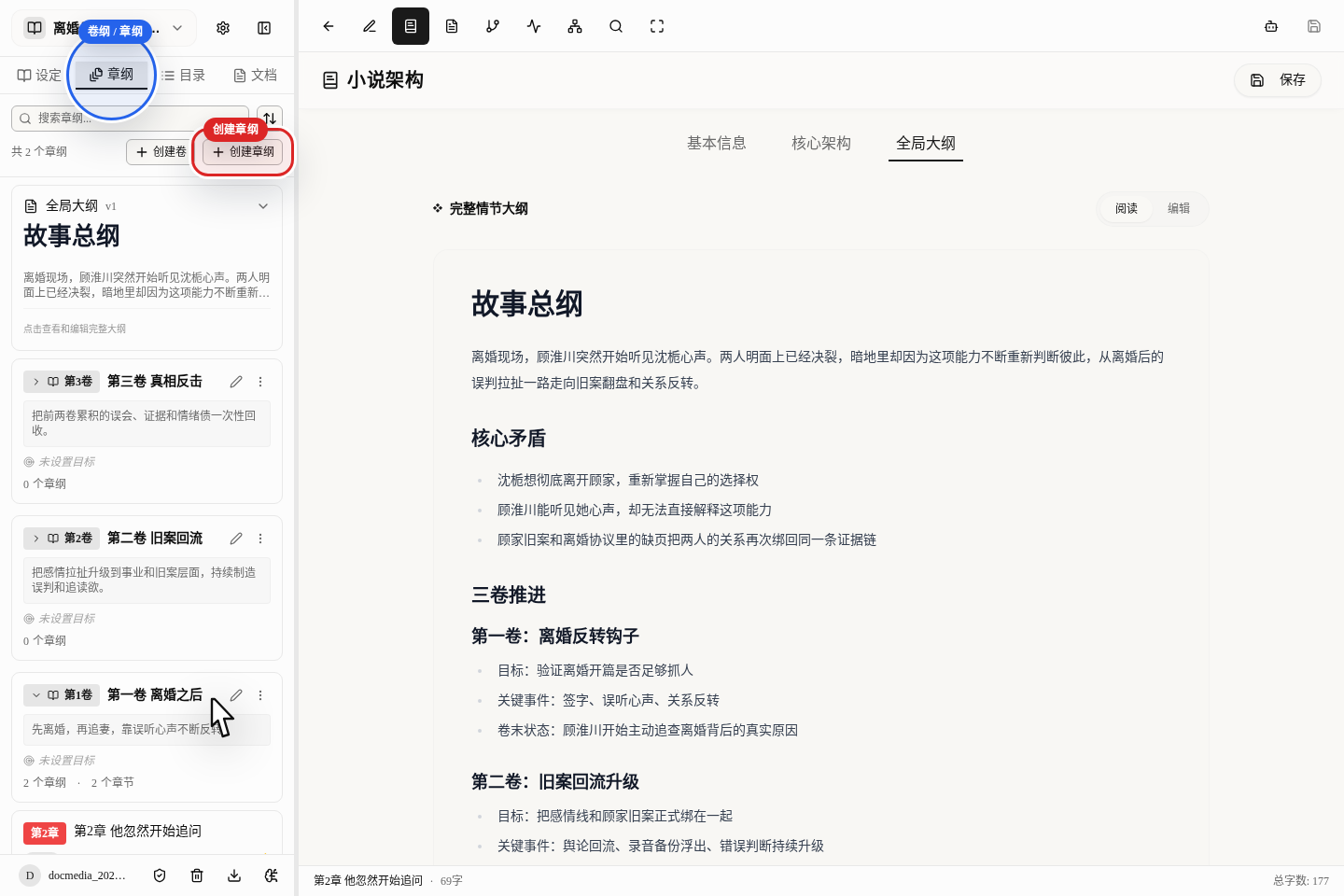
Outline Archive > Global Outlinein the middle of the page is for the master outline of the whole bookChapter Outlineon the left manages each volume's task and each chapter's plot- Click
Create Chapter Outlineto add a new chapter directly
Where Each of the Three Levels Is Written
Master Outline: Written in Global Outline
This is where you write the main storyline of the whole book, not a place to pile up settings. At the very least, make clear:
- The protagonist's starting point and the core conflict
- How many volumes the book is meant to advance through
- What ending direction it will head toward
For a premise like "After the Divorce, My Ex-Husband Can Hear My Thoughts", the master outline should first fix the main line of "a mistaken divorce, an old case resurfacing, the truth striking back", so that every volume and chapter after it doesn't drift more and more as you write.
Volumes: Written on the Volume Cards in the Left Chapter Outline
A volume's outline is written on each volume's card in the left Chapter Outline. To add this volume's goal, just click the edit button on the card.
For each volume, make at least 3 things clear:
- What this volume mainly advances
- The 2 to 3 most important events in this volume
- What state the character relationships should be pushed to by the end of the volume
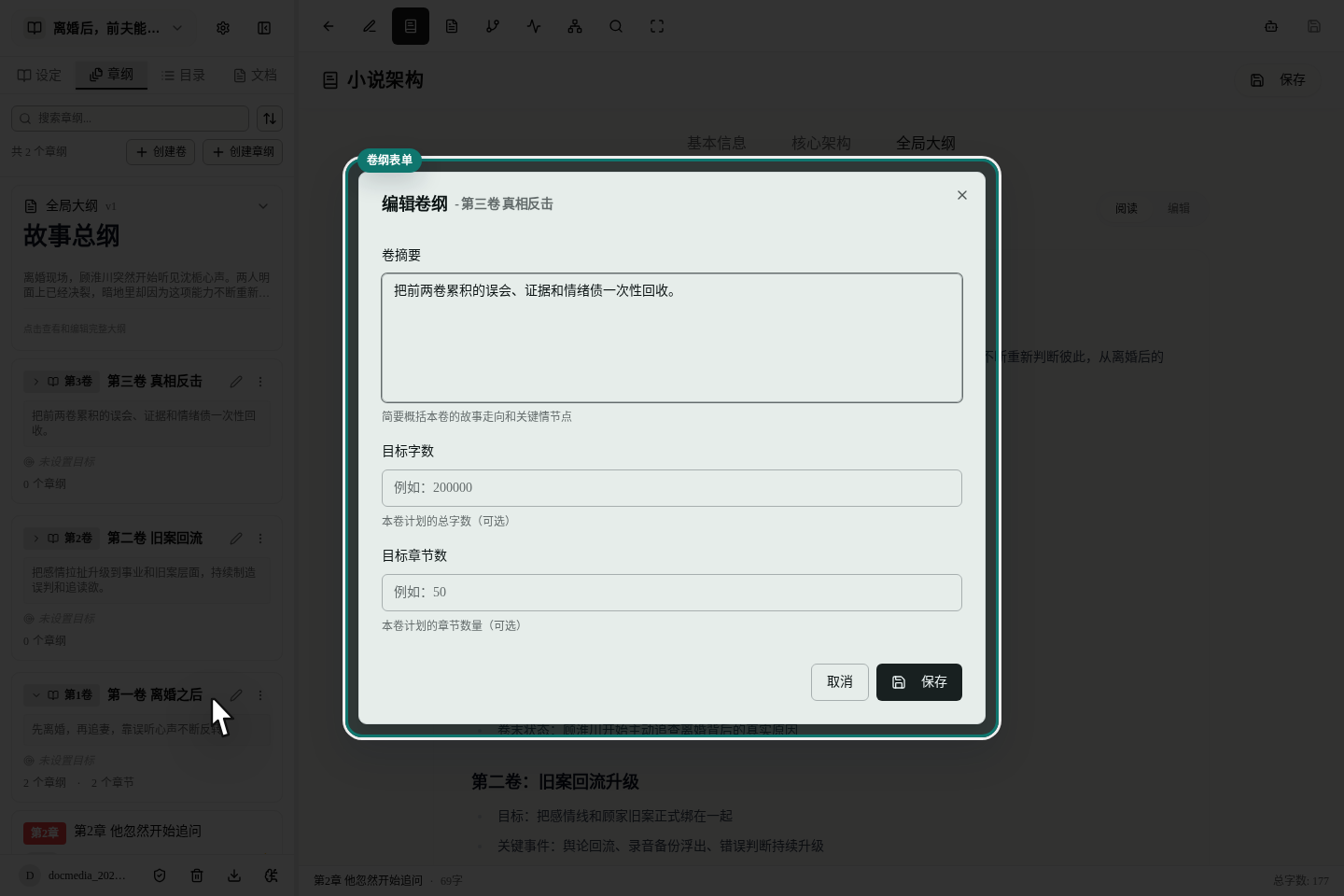
When editing a volume, focus on filling in these:
- Volume summary
- Target word count
- Target chapter count
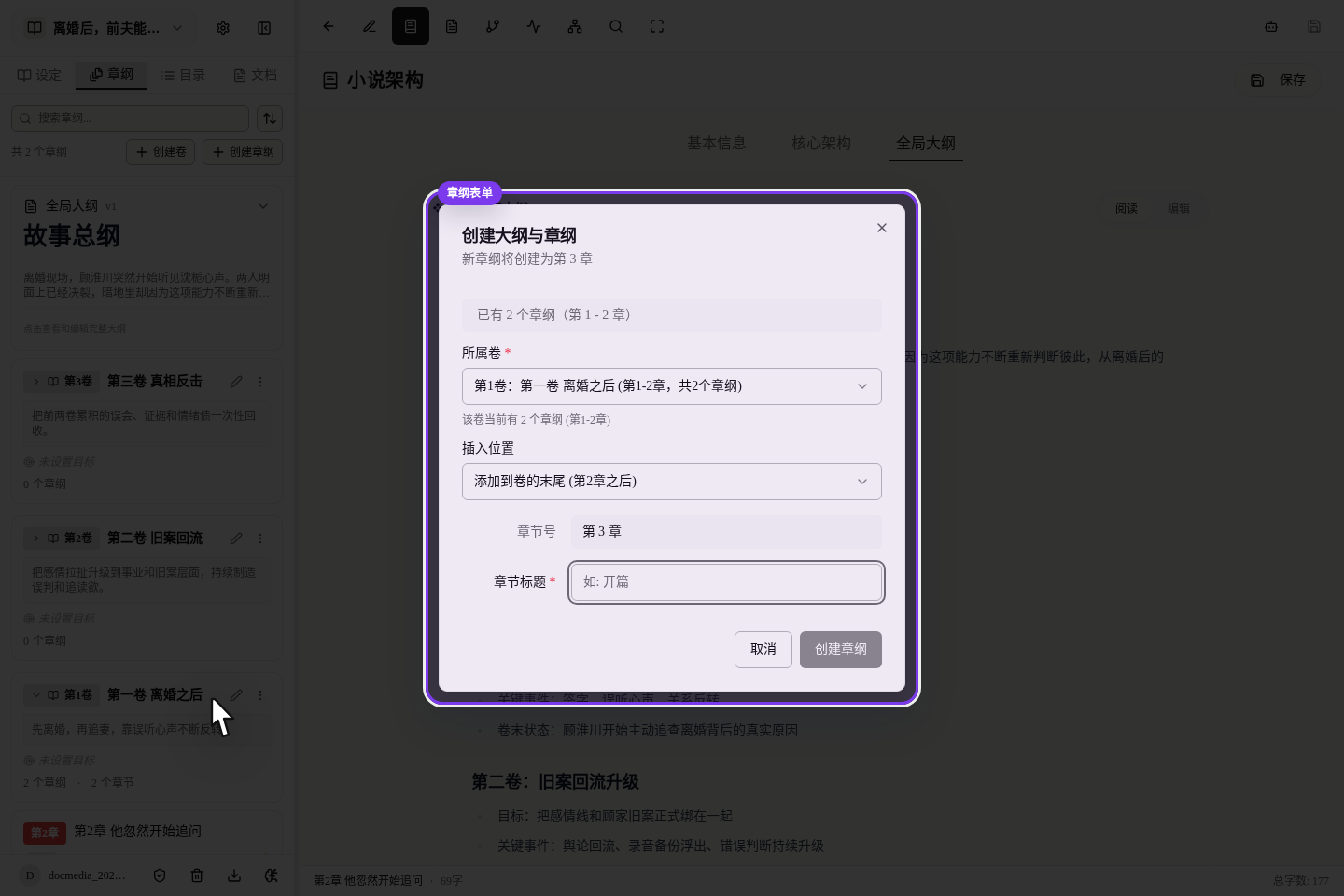
Chapter Plot: Write It by Clicking Create Chapter Outline
When adding a new chapter, don't stuff the plot straight into the master outline. The right way is to click Create Chapter Outline, choose which volume and which position it goes in, and then write what exactly happens in this chapter.
For each chapter, make at least these clear:
- Where this chapter opens
- Which key moves this chapter must accomplish
- What reader-retention hook the ending will leave
Suggested Writing Order
We suggest you always follow this order:
- First write the story's main line, the three-volume progression and the ending direction in
Global Outline - Then go to
Chapter Outlineto fill in each volume's goal, conflict and end-of-volume hook - Finally create blueprints chapter by chapter, separating each chapter's opening, turn and ending
The benefit is that, whether the AI later helps you split volumes or write prose, it can follow your line of thought and won't go off course.
The Minimum to Write at Each Level
Global Outline
- Who the protagonist is now
- What she wants most
- How many stretches the story is meant to advance in
- Roughly where the ending lands
Volumes
- This volume's goal
- This volume's key events
- The change in character state at the end of the volume
Chapter Blueprints
- Opening scene
- Key moves
- Ending hook
Pitfalls Beginners Hit Most
Writing the Master Outline as a Settings Warehouse
The master outline records how the story advances; it is not a place to dump all the worldbuilding material at once.
Volume Outlines That Only Say "Continue Advancing the Plot"
If a volume has no clear task, the AI doesn't know whether this volume should warm up the romance, plant foreshadowing or resolve a conflict.
Chapter Plots With Only a Title and No Concrete Actions
A title only gives a general direction; the AI still doesn't know what exactly happens in this chapter.
How to Continue
Once the structure is built, the most natural order is: