
After a Case Book: Bring Another Author's Methods Into Yours
Move a case book's character relations, pacing curves and hook formulas into your book: read graph nodes, use "Add to My Novel", then make them your own.
In this article 9 sections
Many people enter the case library, look at the relationship graph, flip through the Q&A and then leave. What a waste! This page is not just for looking at; it is a workbench for "break down the structure first, copy the settings next, learn the pacing after that, and finally take it all for your own use".
Step 1: look at the relationship graph first to judge whether the book is worth borrowing from
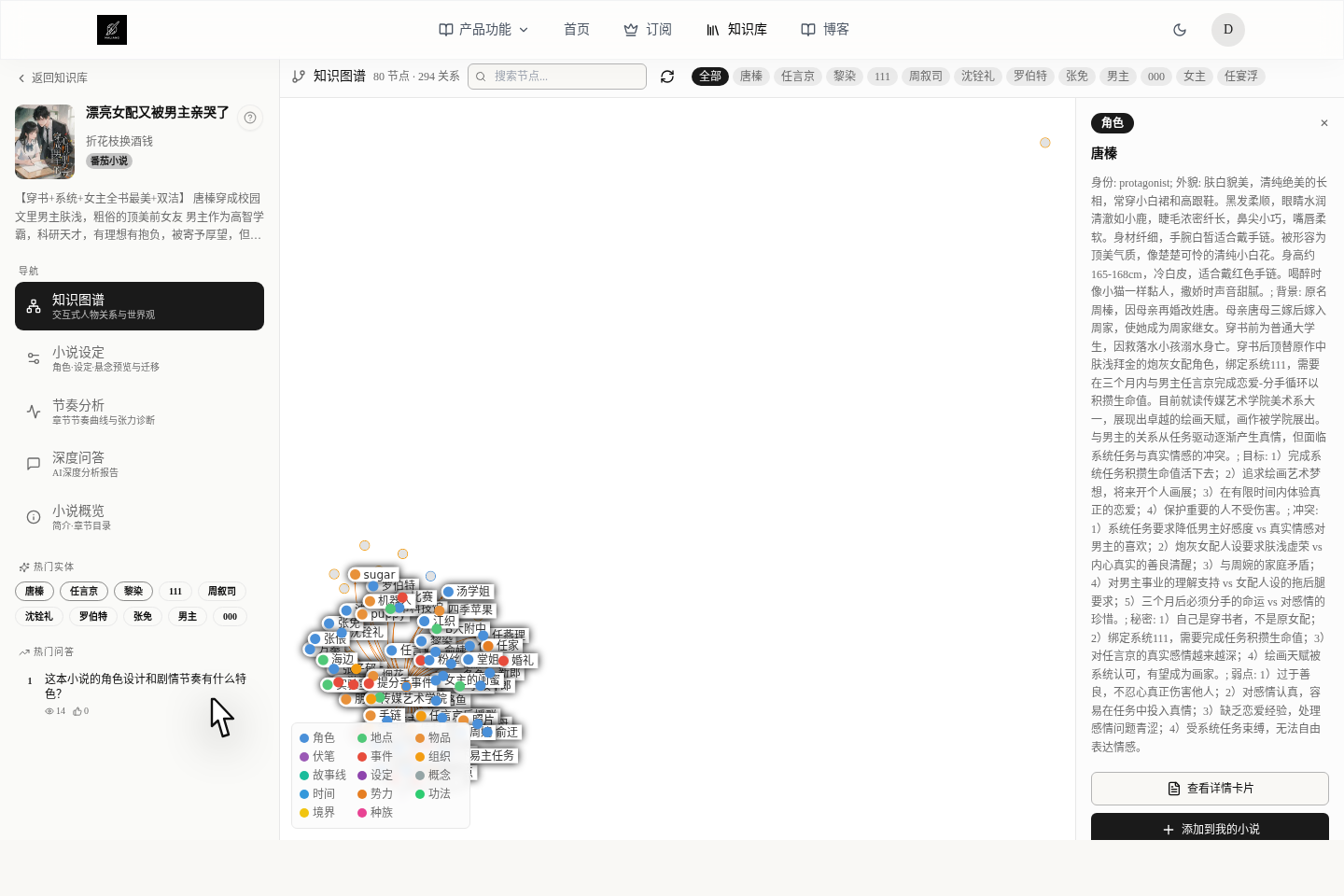
The relationship graph is best for helping you work out 3 things:
- How key characters, places, organizations and events are connected
- Whether this book mainly drives the plot through character relationships, setting rules or event conflicts
- What role the character or setting you want to borrow actually plays in the whole book
Here is a very practical way to judge:
- If
View Detail CardandAdd to My Novelappear on the right, this point has already been made into a material card and can be taken directly - If you only see
AI Generate & Add, it is for now just a point on the graph and cannot be used directly as a material card
Doing this step first keeps you from moving a heap of messy information into your own book.
A quick word on the difference between computer and phone:
- On a computer the details usually appear on the right.
- On a phone, a drawer pops up from the bottom.
Step 2: decide whether to add it to your own book
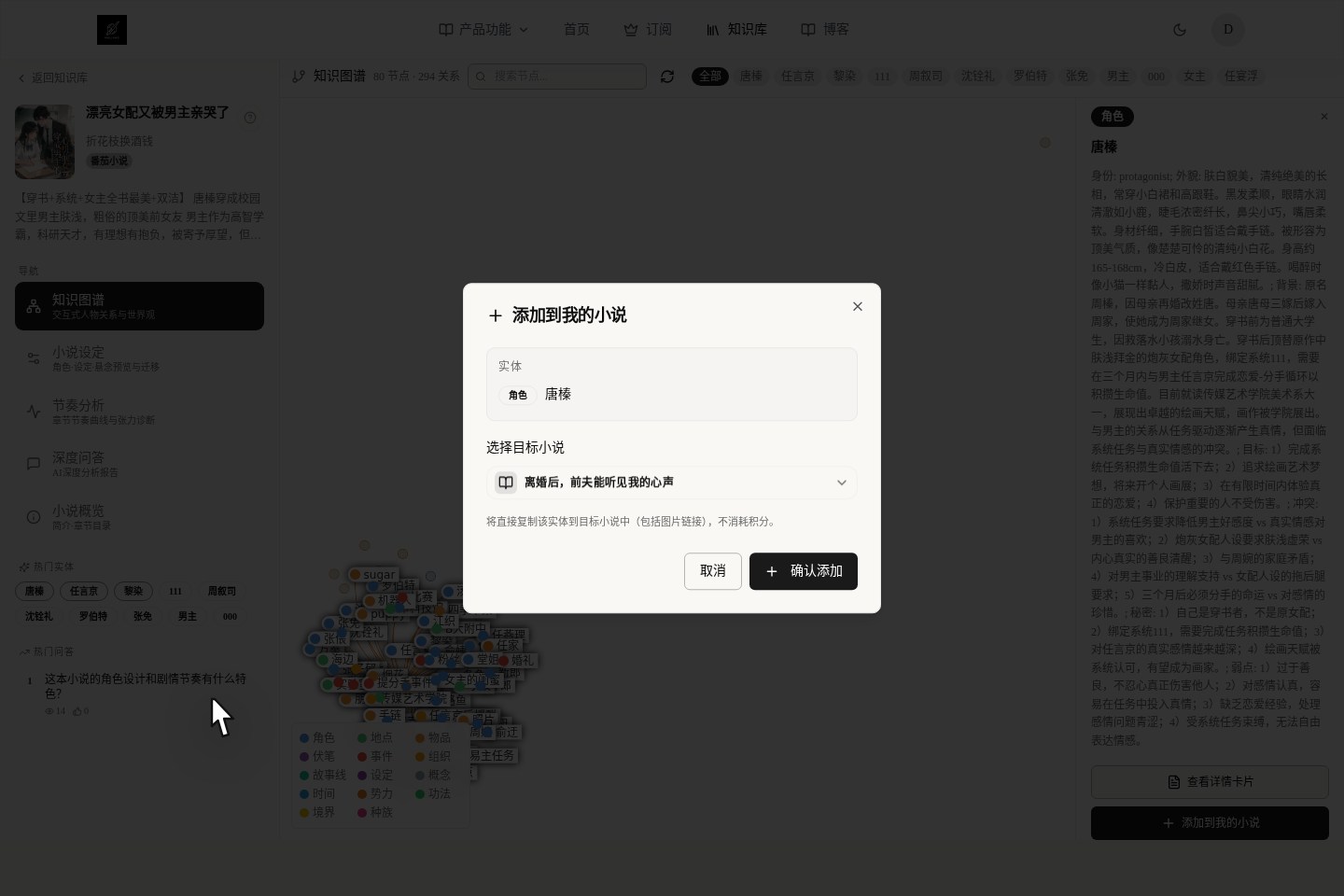
Add to My Novel does not mean moving the whole book over; it copies this material card into the book you choose.
Before adding, there are two things to do:
- Log in to your account first
- Pick which book to add it to, then click
Confirm Add
This step costs no credits, but you should know:
- It is a copy, not a sync. If the one in the case library is changed, your own book will not change with it.
- It only moves material, not plot. You still have to go back to your own book and rewrite as needed.
What gets copied and what does not
You need to know:
- Characters are copied: name, aliases, role, summary, age, gender, appearance, background, personality, goals and image
- Settings are copied: name, type, description, body content, image and tags
- Suspense is copied: label, type, intensity and description
Pay special attention to these points:
- A character's relationship web is not moved over in full; it is best to sort it out again yourself
- The specific attributes inside a setting are not saved along with it
- After a suspense thread is moved over it becomes "pending"; it does not bring along the chapter where it was originally planted or the chapter where it is revealed
So the steadiest way to use it is not "copy it unchanged", but "take a rough draft, then adapt it to your own book".
What if you only see AI Generate & Add
This is actually not a bad thing; it means this point has not yet been organized into a ready-made material card.
In that case you can:
- Log in first.
- Choose what to generate it as (for example a character, a setting or a suspense thread).
- Pick a model and, if needed, add a sentence of your own requirements.
- AI first generates a preview card for you and tells you how many credits it will cost.
- If you find the card useful, then save it into your own book.
It is more like "making a rough draft for you first" than moving someone else's things over directly.
To move several at once, don't click them one by one on the graph
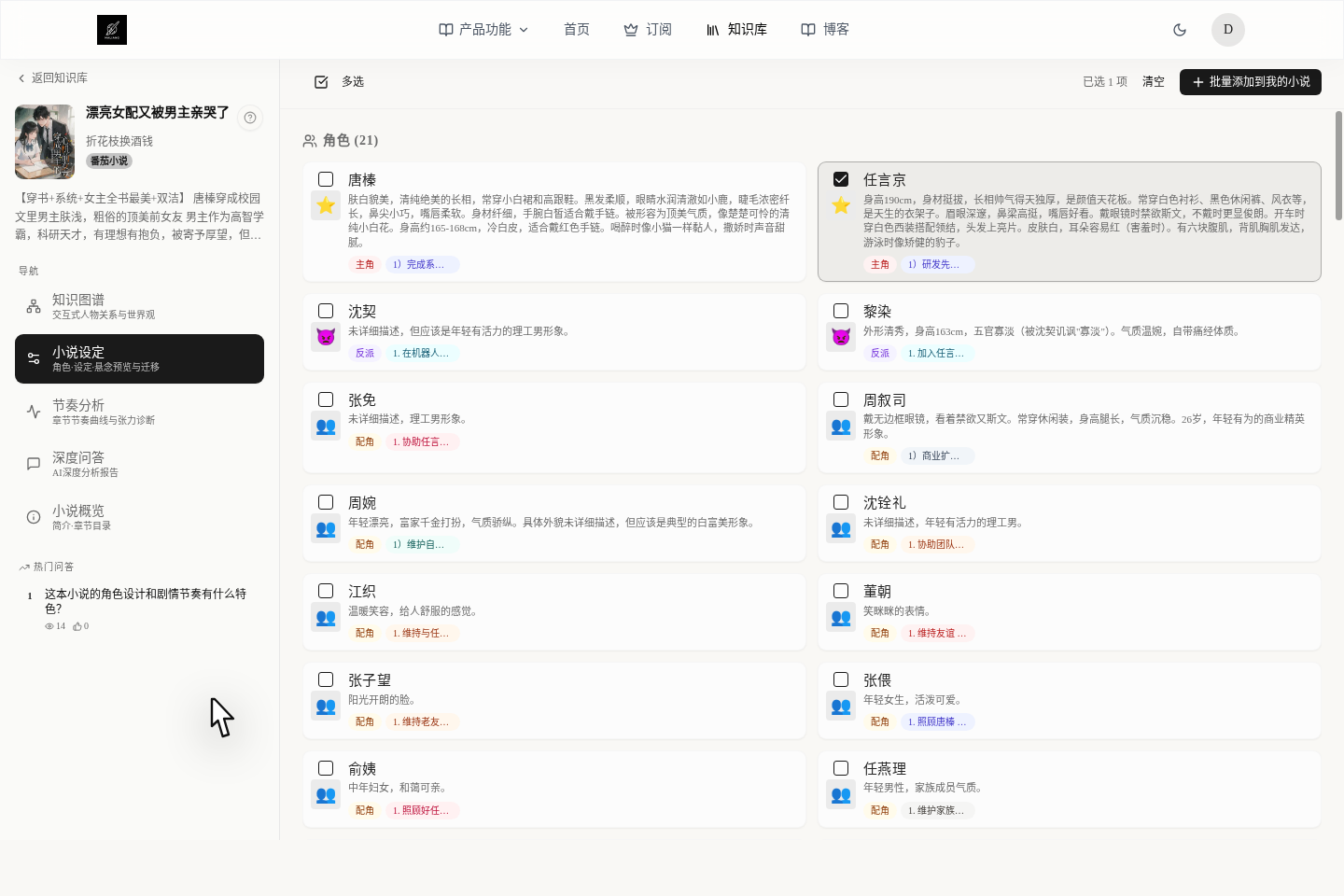
If you feel several characters or settings in this book are worth borrowing from, the fastest way is not to look at the graph but to go to the Story Bible tab.
Here you can:
- Click
Multi-selectfirst - Tick several useful cards at once
- Use
Batch Add to My Novelto take them all in one go
This is much faster than clicking one by one on the graph and is especially good for moving characters or settings in a bundle. The screenshot shows selecting characters; settings and suspense work the same way.
What pacing analysis is for
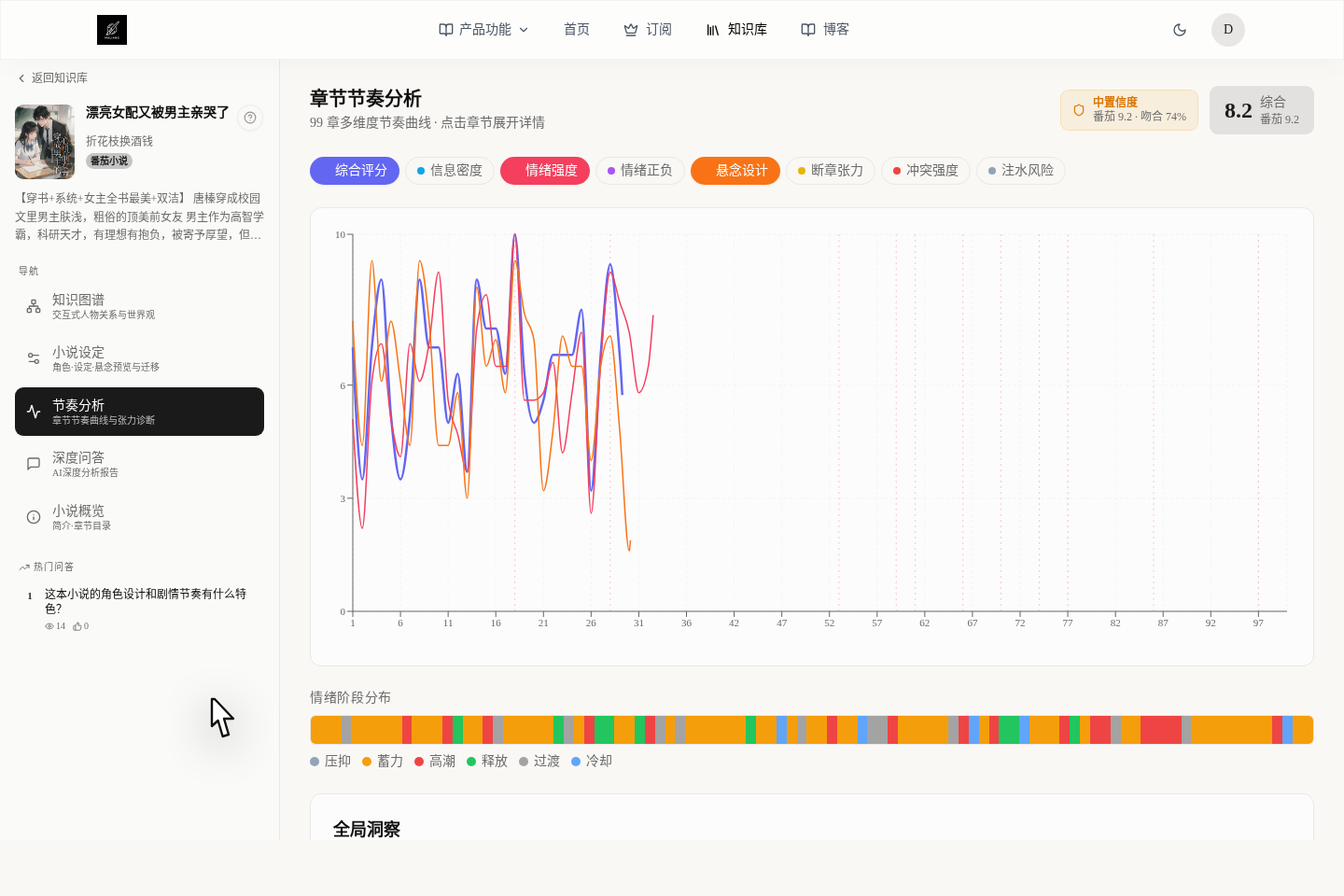
Pacing Analysis in the case library is not for revising your own manuscript; it is more like a diagnostic report telling you "why this book makes people keep reading".
What you should look at most is:
Overall ScoreandConfidence- How the emotion curve and the highs and lows are distributed
- Strengths, weaknesses and suggestions for improvement
- Whether the foreshadowing is well planted and whether the storylines are complete
This information helps you judge what this book actually relies on to hold its readers.
Chapter-by-chapter diagnosis is for learning how to revise, not for copying
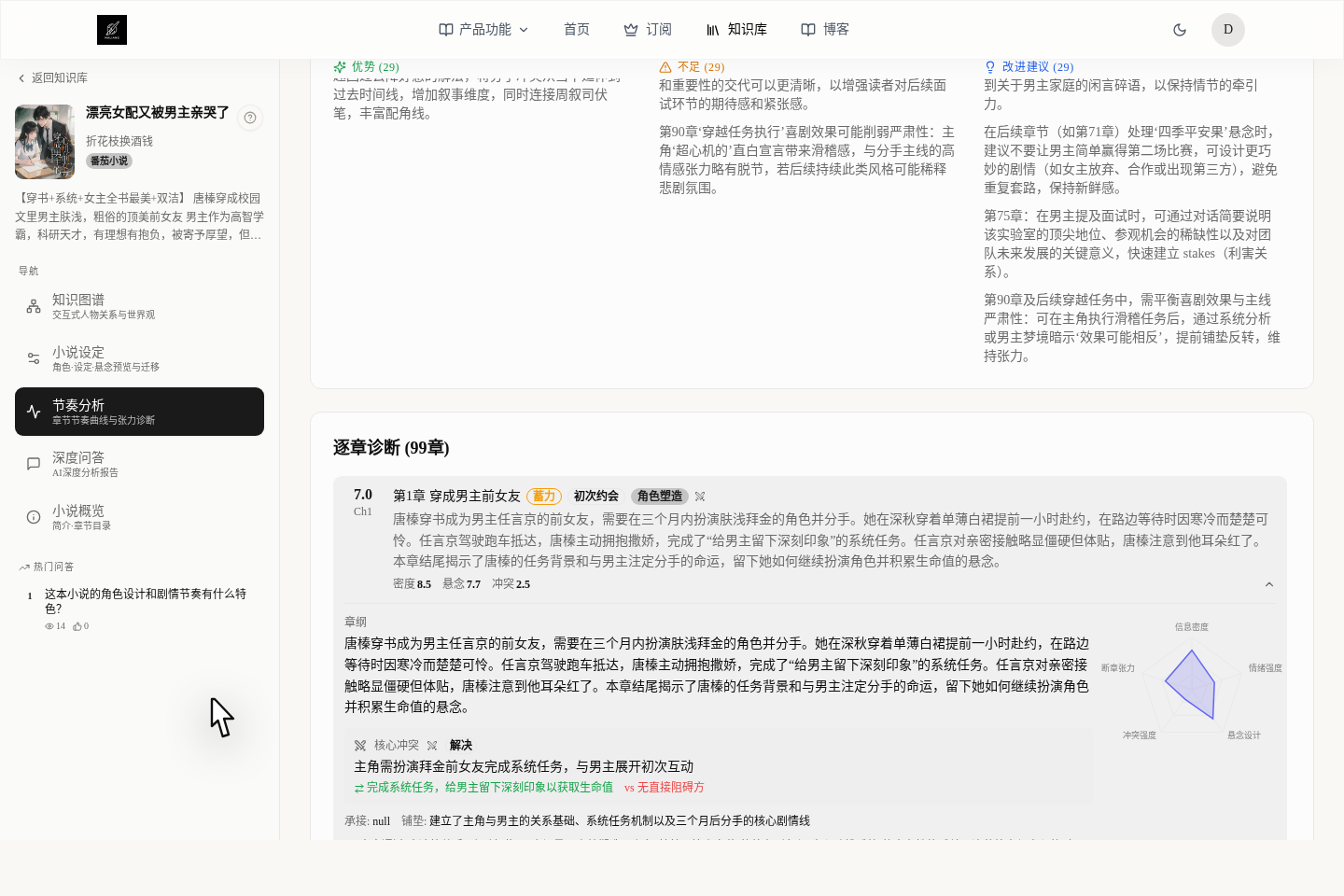
What is really useful is not "this chapter is a 7 or an 8", but that it tells you why this chapter works or why it is weak.
A more helpful way to read it for writing a book:
Information Densityshows whether the chapter makes substantive progressEmotion IntensityandEmotion Polarityshow whether the reader's emotions rise and fall enoughSuspense DesignandChapter-End Tensionshow whether readers will want to continue to the next chapterConflict Intensityshows whether there is enough resistance and oppositionPadding Riskshows which places may slow down the reading
After opening a single chapter you can also see the outline, core conflict, setup, weaknesses, suggestions, foreshadowing and the risk of readers dropping the book. This part is best for learning "how to revise", and not for moving someone else's chapters over unchanged.
If what you want to diagnose is your own novel rather than someone else's, go and read Find Your Weakest Chapters: Pacing Analysis and Comparison.
The steadiest order for moving things over
If you want to "move things from the case library into my book", we recommend this order:
- First look at the relationship graph and find the characters, settings or suspense that are truly important
- Decide whether to add them one by one, or to go to
Story Bibleand move them in batches - Go back to your own novel and adapt the moved material cards to suit yourself
- Then look at pacing analysis, learning its distribution of strong and weak points and how to revise each chapter
- Finally read the breakdown report for evidence and turn its conclusions into tasks for AI to work on, or record them in your notes
What to read next
- To learn how to find good books to study: read Browsing the Public Library: Find Hit Books and Learn Their Tricks
- To turn breakdown reports into practical writing moves: read Reading a Case Breakdown Report: Turn Analysis Into Writing Moves
- To keep what you moved over under control so AI doesn't write messily: read Keep Characters From Forgetting and Settings From Contradicting