
Choosing a Collaboration Mode: One AI or Several Working Together
One AI suits polishing sentences; several suit outlining or full chapters. When to use each, with speed, credit costs and a task comparison table.
In this article 8 sections
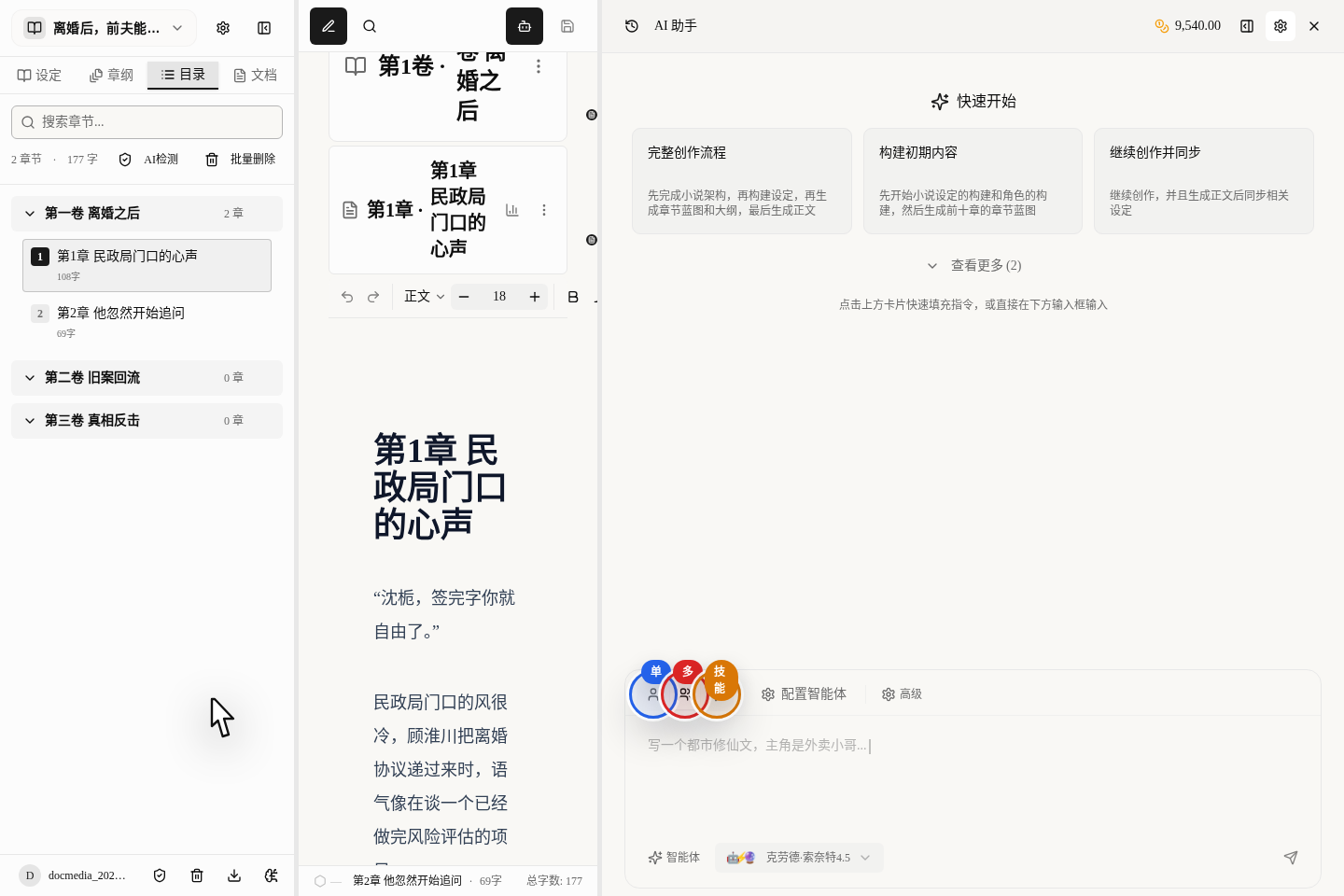
Single AI, multiple AIs and skill mode are all at the top of the AI assistant column on the right of the writing page. What you most need to know now is how to switch among these three icons and how to configure things after switching.
Learn How to Switch First
Remember these 3 entries first:
- The single-person icon:
Single-agent mode - The multi-person icon:
Multi-agent collaboration mode - The lightning icon:
Skill mode
If you see another model button at the bottom of the input bar, remember one thing: that button only chooses the model; it does not switch between single and multi-agent. Look at the top for switching modes, and at the bottom for choosing the model.
How to Set Up Multiple AIs
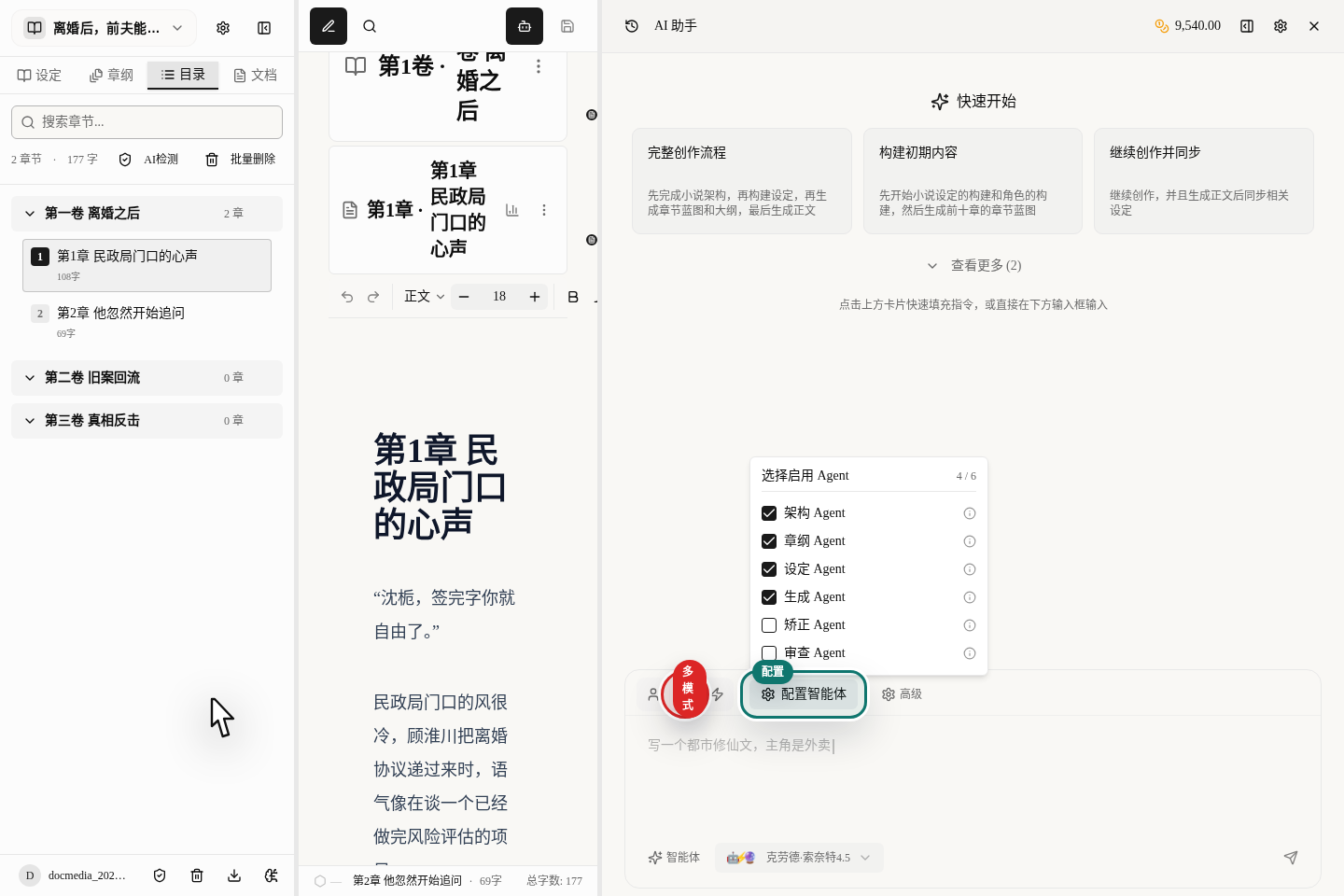
After switching to the multi-person icon, click Set Up Multi-Agent. Here you can decide whether the AIs responsible for structure, outline, settings and generation should all step in for this task.
These tasks suit having multiple AIs work together:
- Breaking a master outline down into volume outlines
- Expanding a chapter blueprint into full prose
- Writing prose while looking back at the settings and earlier text
- Consistency checking and fixing in a long serialized novel
How to Set Up a Single AI
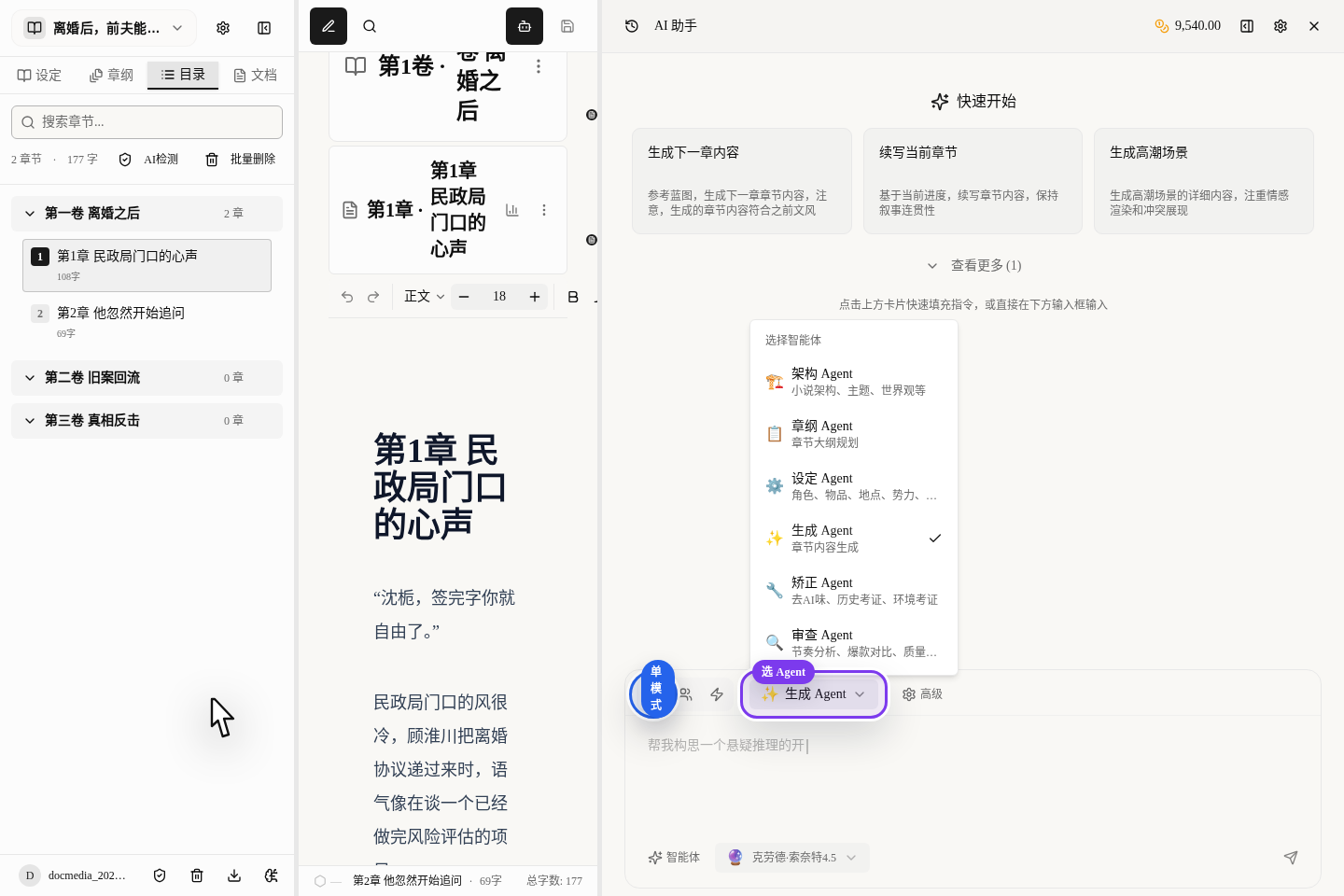
After switching to the single-person icon, click Choose Single Agent and pick an AI dedicated to the task you have now.
The most common single-AI uses are:
Generation AI: expanding prose, adding dialogue, polishing paragraphsOutline AI: splitting chapters, supplementing blueprintsStory-bible AI: adding characters, refining settings, writing rule explanations
The Simplest Way to Decide
Just remember one sentence:
- When the task has only one clear goal, use a single AI
- When the task goes through several stages (planning, generating, checking, revising), use multiple AIs
For example, "make this dialogue of Gu Huaichuan more restrained" is a single-AI job; "generate the volume-one outline and check whether the character logic is right" is a multi-AI job.
When Not to Use Multiple AIs
In these cases, a complex chain only slows you down:
- You just want to try 3 different openings
- You are only editing one scene of under 300 characters
- You haven't even worked out what you want yet
When the direction is vague, set the goal yourself first and then let the AI do it; efficiency will be higher.
When to Use Skill Mode
Skill mode is not a "more powerful version of multiple AIs"; use it only when you clearly know you need a specific function. For everyday writing, outlining and expanding prose, getting comfortable with single and multiple AIs is enough for now.
A Combination Strategy That Saves More Credits
We recommend switching by stage of creation:
- Early planning: multiple AIs
- Mid-book bulk writing: mainly a single AI, with multiple AIs for key chapters
- Late proofreading: multiple AIs to check and revise for you
That keeps quality up without leaving the high-cost mode on the whole time.
How to Continue
If you already understand when to split the work, continue with: