
The Editor's Right-Hand AI Assistant: Your Main Chat Entry
The AI chat entry you will use most sits on the right of the editor. Learn where it is, how the panel is laid out, and how to browse history and resize the panel.
In this article 7 sections
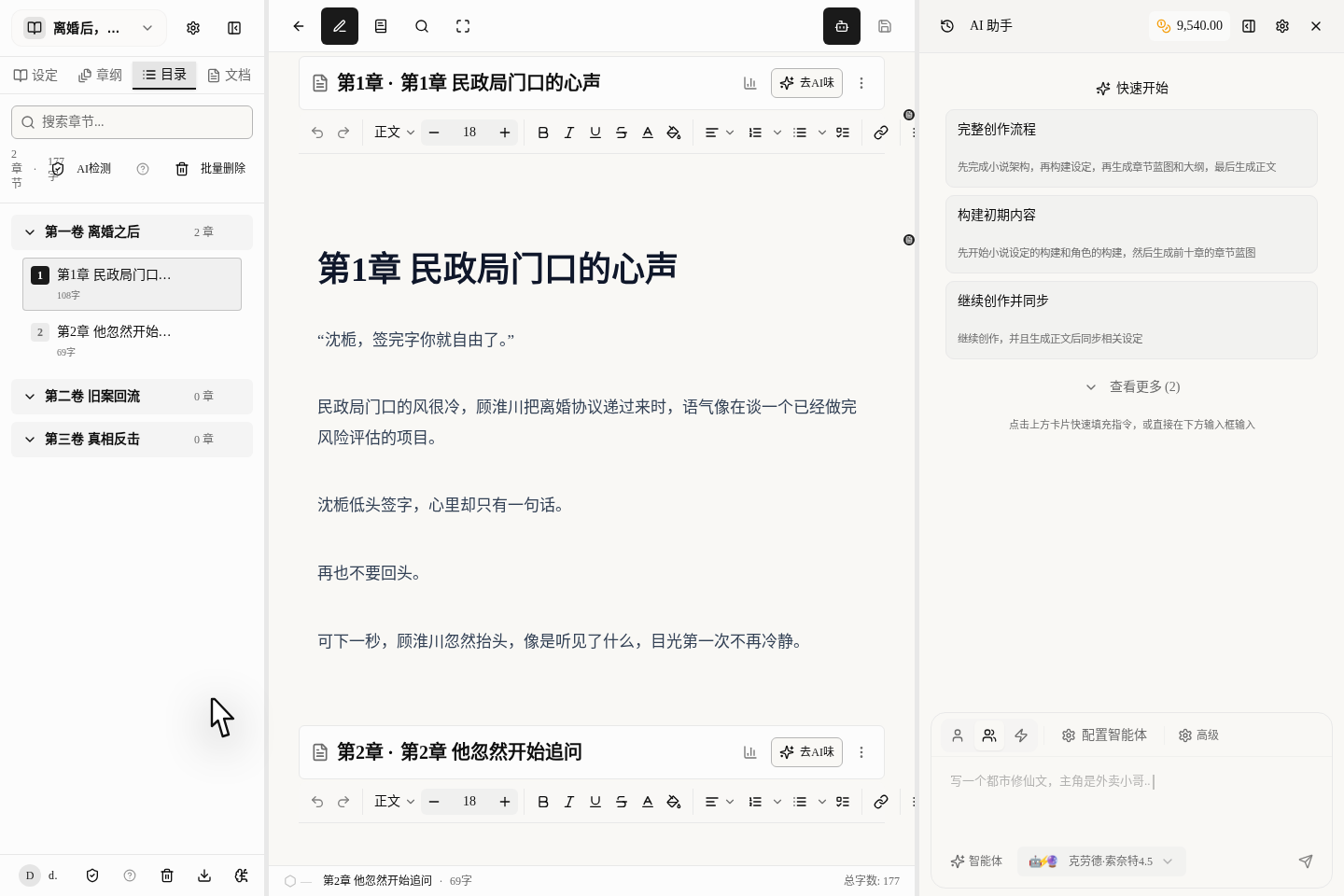
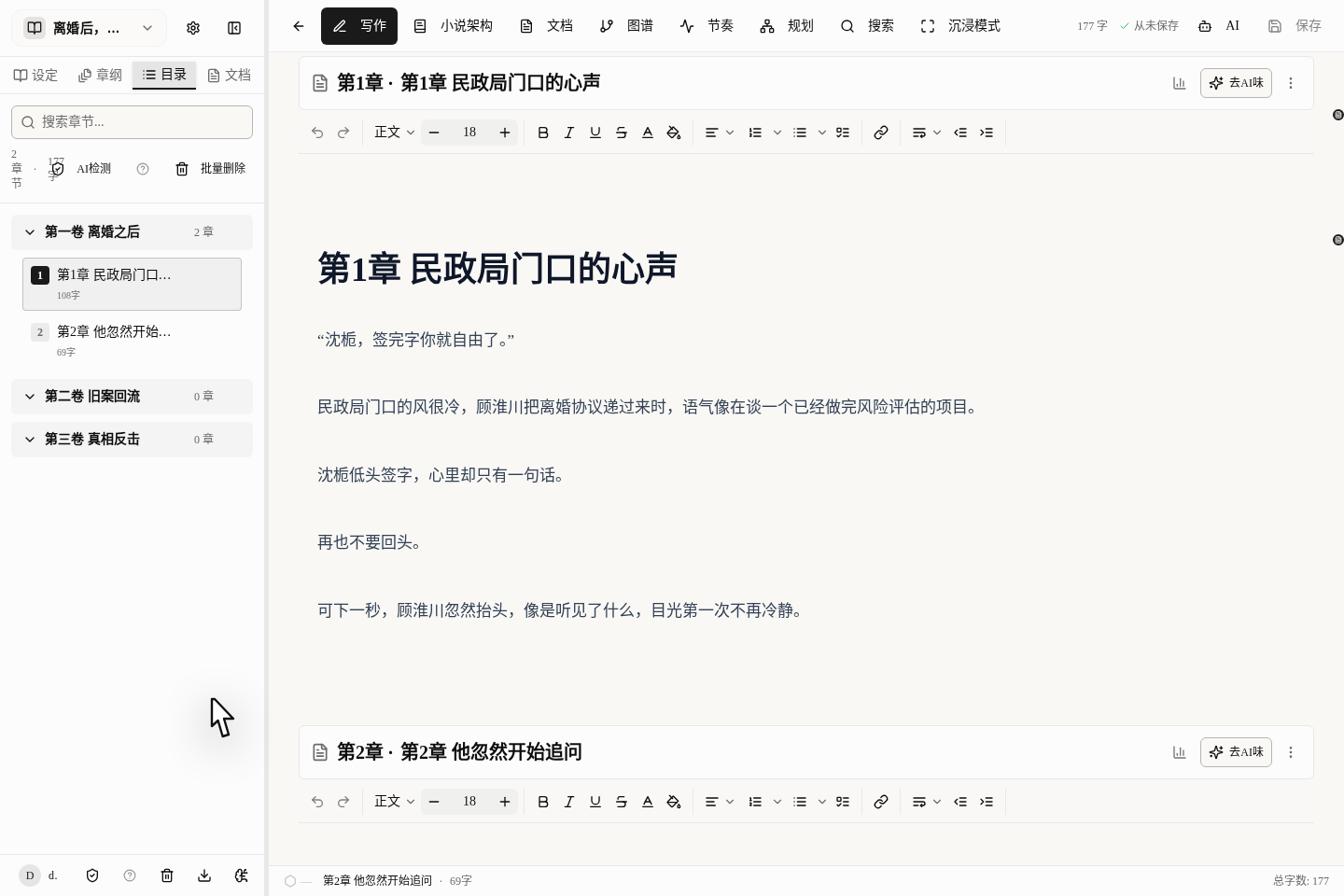
To get help from the AI, you don't need to go to a separate chat page. The entry used most today is on the right side of the writing page: open "AI Assistant" and you can write and chat at the same time.
Remember This Most Common Entry
The most recommended way now is:
- Open your book first
- Go into the writing page
- Click
AI Assistantat the top - Chat with the AI in the panel that opens on the right
Whether you are revising, continuing, filling in settings or asking what's weak about this chapter, it all happens here.
Why We Recommend the AI Assistant on the Right
The biggest advantage of the AI assistant on the right is that it "knows you":
- It knows which book and which chapter you are working on
- You can easily send it chapters, settings and outlines to look at
- You don't need to switch back and forth between several pages
- After the chat, you can apply the content straight to your prose
This is far more convenient than opening a blank chat window on its own.
What the Right-Hand AI Assistant Looks Like
Once open, you will see these parts:
- The title and tools at the very top
- A few quick-start suggestions
- The input box below
- The places to choose a mode and a model
In other words, you haven't "jumped to another page to chat"; the AI has pulled up a little stool and sat down next to you while you write.
When to Ask It for Help
In these situations, going straight to the AI assistant on the right is the smoothest:
- Asking the AI to continue writing
- Asking the AI to revise a stretch of dialogue or description
- Asking the AI for revision suggestions based on the earlier plot
- Asking the AI to keep talking within your book's settings, without re-explaining the background every time
As long as you are "writing this book", you should use the assistant on the right.
Do You Still Need the Old Chat Page?
If you remember there used to be a dedicated chat page (/chat), you can forget it now. The most useful one, and the closest to how you write, is the AI assistant on the right.
So don't "go to the chat page first"; just:
- Open your novel
- Bring up the AI assistant on the right
- Start talking about your plot
Suggested Order of Steps
- Click into the book you want to write from the shelf
- Open the prose
- Click
AI Assistantat the top - Give the AI its first job on the right
- When you need more complex features, then look into how to choose a mode and how to send materials
What to Read Next
- To chat with the AI more effectively: read Using the AI Assistant While You Write: Chat, Modes and Approvals
- To make several AIs work together: read Choosing a Collaboration Mode: One AI or Several Working Together
- To organize your materials: read Organize Notes and Materials: Keep Ideas and Foreshadowing Together