
Tutorials · 26 guides
Start with step one and find out what to do next.
Follow the order of real use to learn how to create a book, build outlines, manage your story bible and write the text. If you have a specific question, you can also browse by topic.
Latest tutorials
Recently updated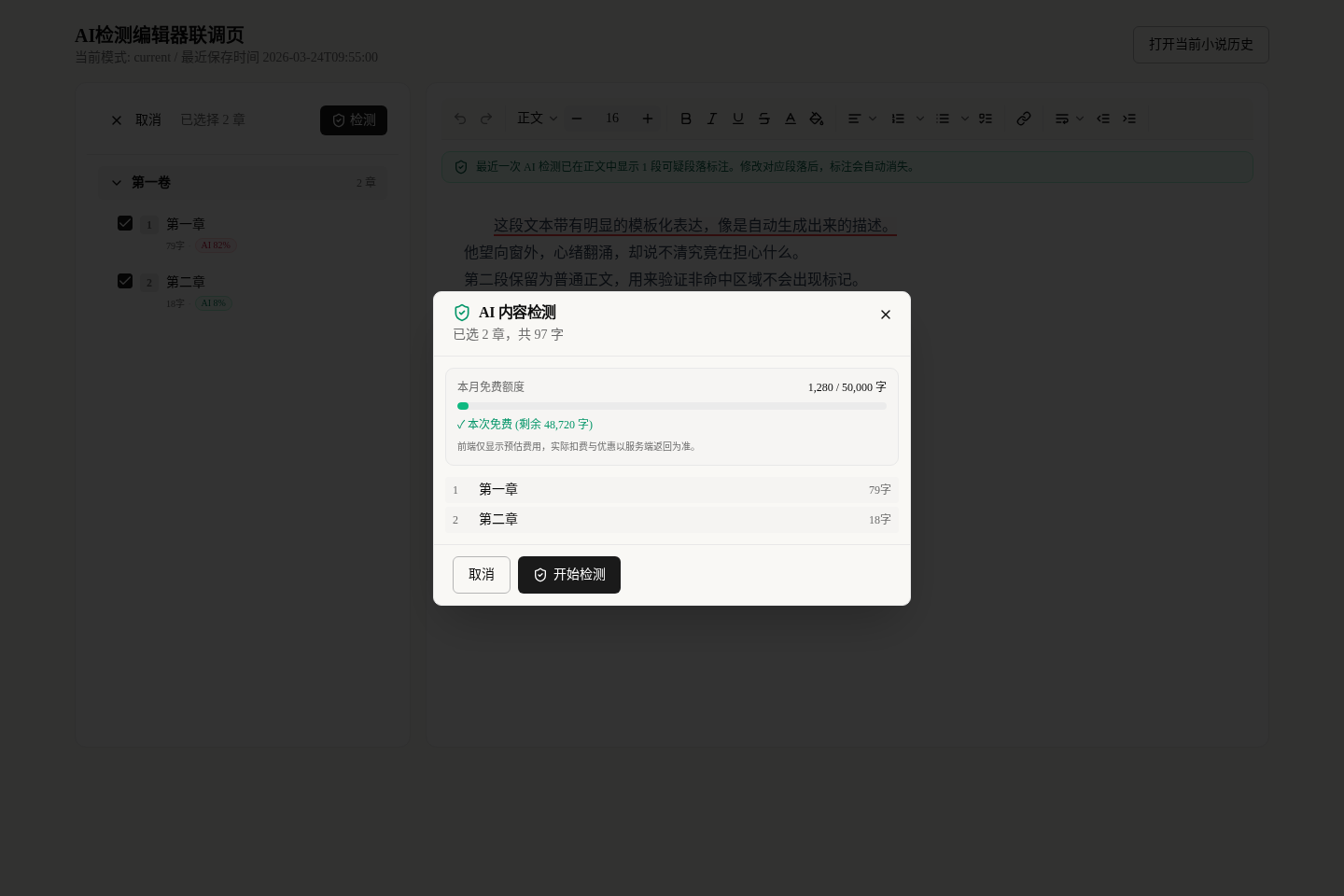
Spot and Remove the AI Tone: Make Your Text Read Human
Does your text sound like AI? Use AI Detection to mark AI-sounding passages, by chapter or in batches, then launch a corrective rewrite in one click.
Read the tutorial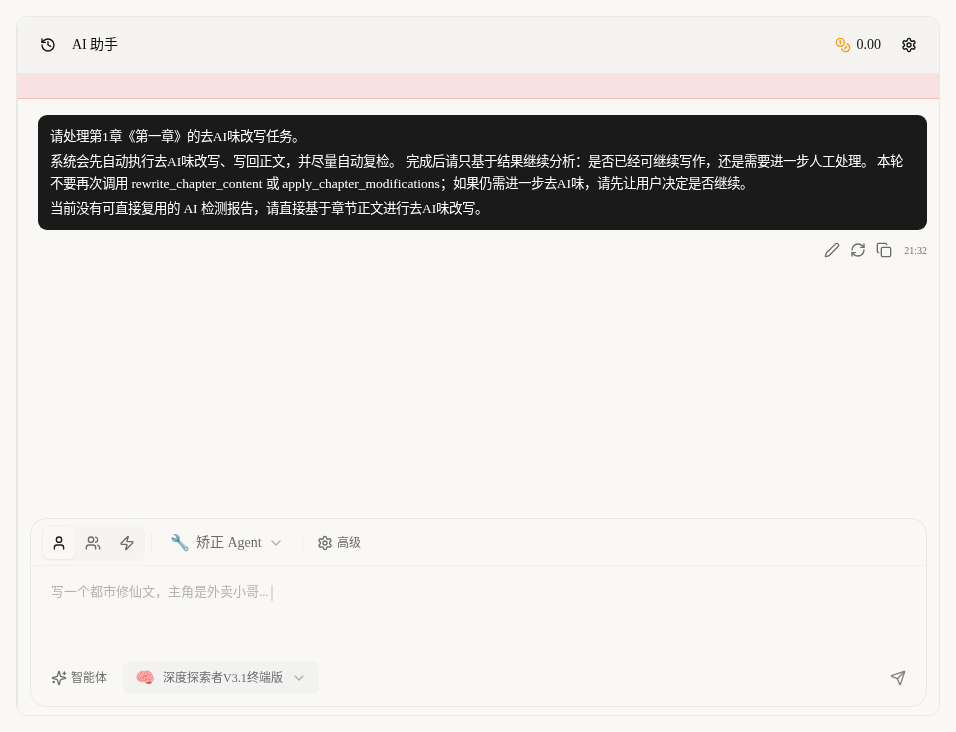
Removing AI Tone From Your Text: Three Common Entry Points
Remove the AI tone three ways: from prose highlights, the right chat panel, or in batches from the chapter list. When to use each, and how rechecks work.
Read the tutorial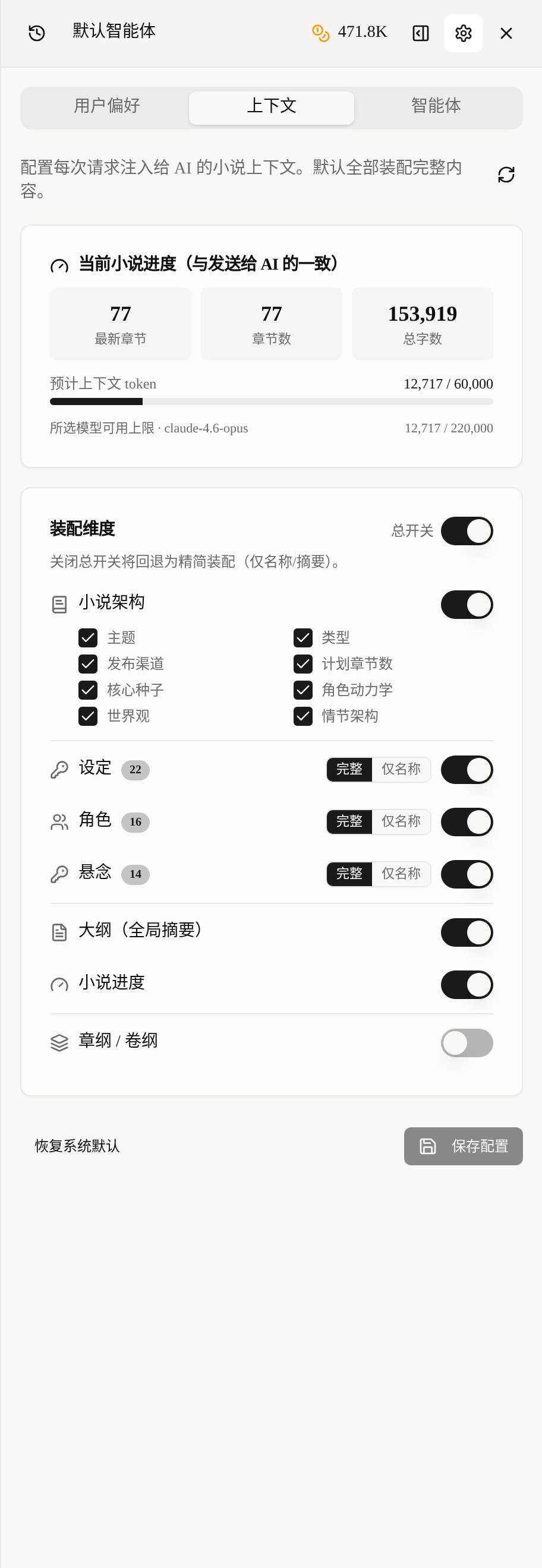
Show the AI Only What It Needs: Context Assembly Settings
How much does the AI read, and how many credits does it burn? Configure context assembly item by item: full or names-only settings, outlines on demand, live token estimate—so the same credits stretch tens of thousands of words further, with less drift.
Read the tutorial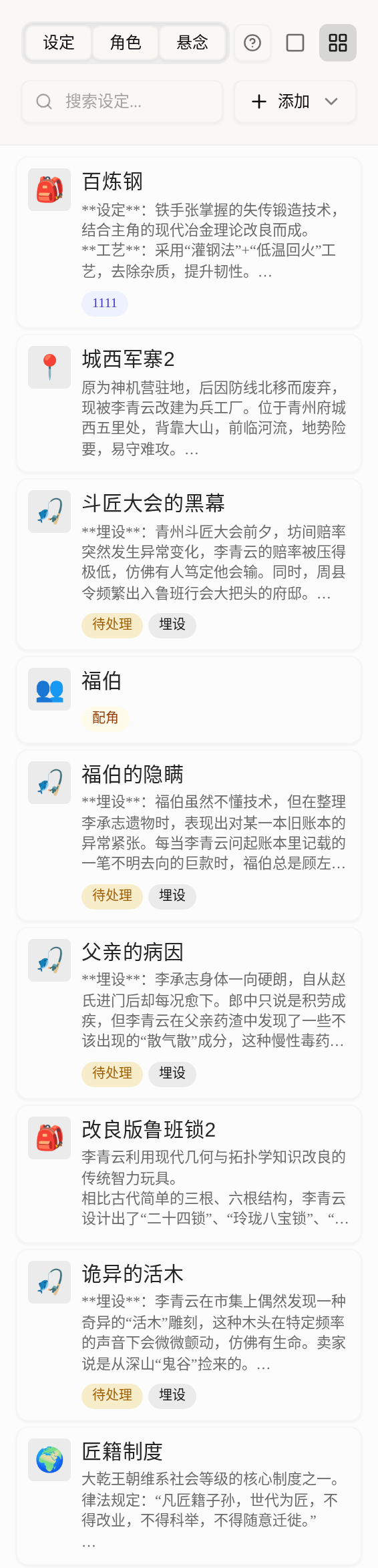
Hide Settings and Open Them by Volume: You Control What AI Sees
Don't want AI spoiling the culprit or the final twist? Hide settings, characters and suspense from AI, or open them volume by volume. In Volume 1 the AI sees only the surface identity; the truth behind it unlocks in Volume 3. Single-item and batch demos included, so every reveal lands on cue.
Read the tutorial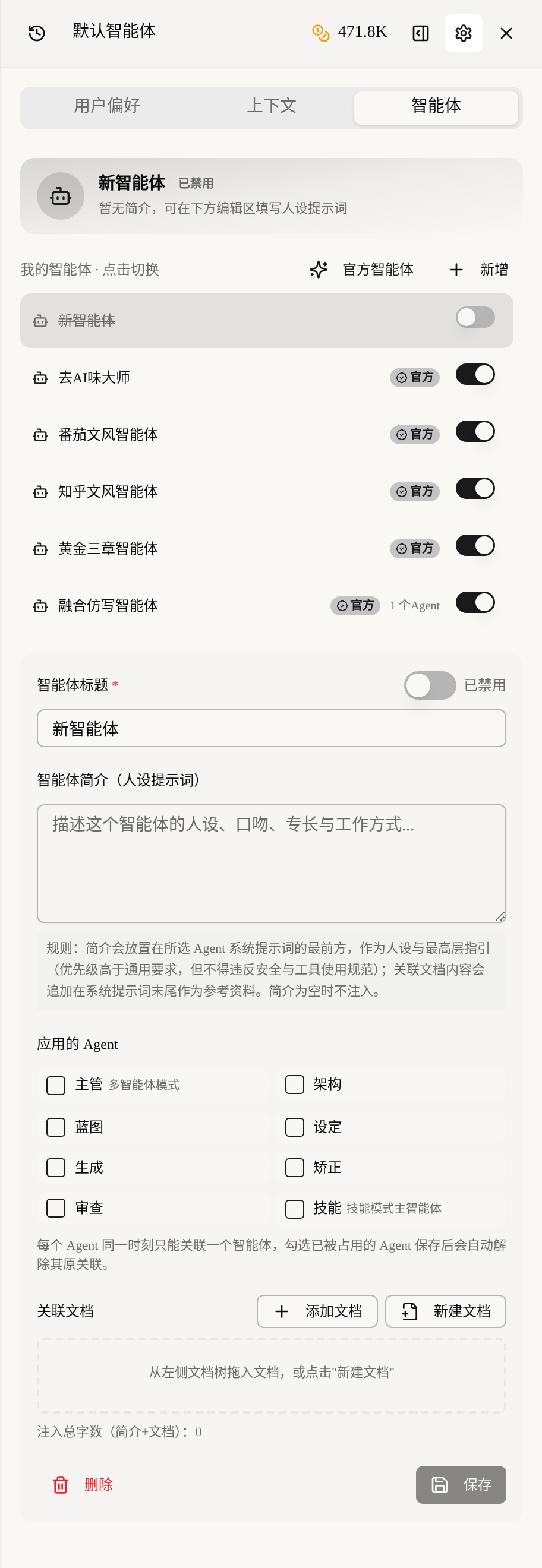
Custom Agents: Give Each AI a Persona and Its Own Knowledge Base
Custom agents: four persona fields, 'gold-medal editor' prompt, agent/mode binding, one-click official templates to adapt—same prompt, new style.
Read the tutorialStart here
Learn the basic workflow first, then go deeper as needed
New to Maliang Writer? Start Here
What to click after signing up, how to create your first book and open the editor: about 10 minutes from the home page to your first paragraph, with screenshots.
Read the tutorial
Manage Your Bookshelf: Create New Books and Find Old Ones
Create novels on your shelf, filter by category and status, and jump back to where you last wrote. Multi-book authors also learn to archive paused books.
Read the tutorial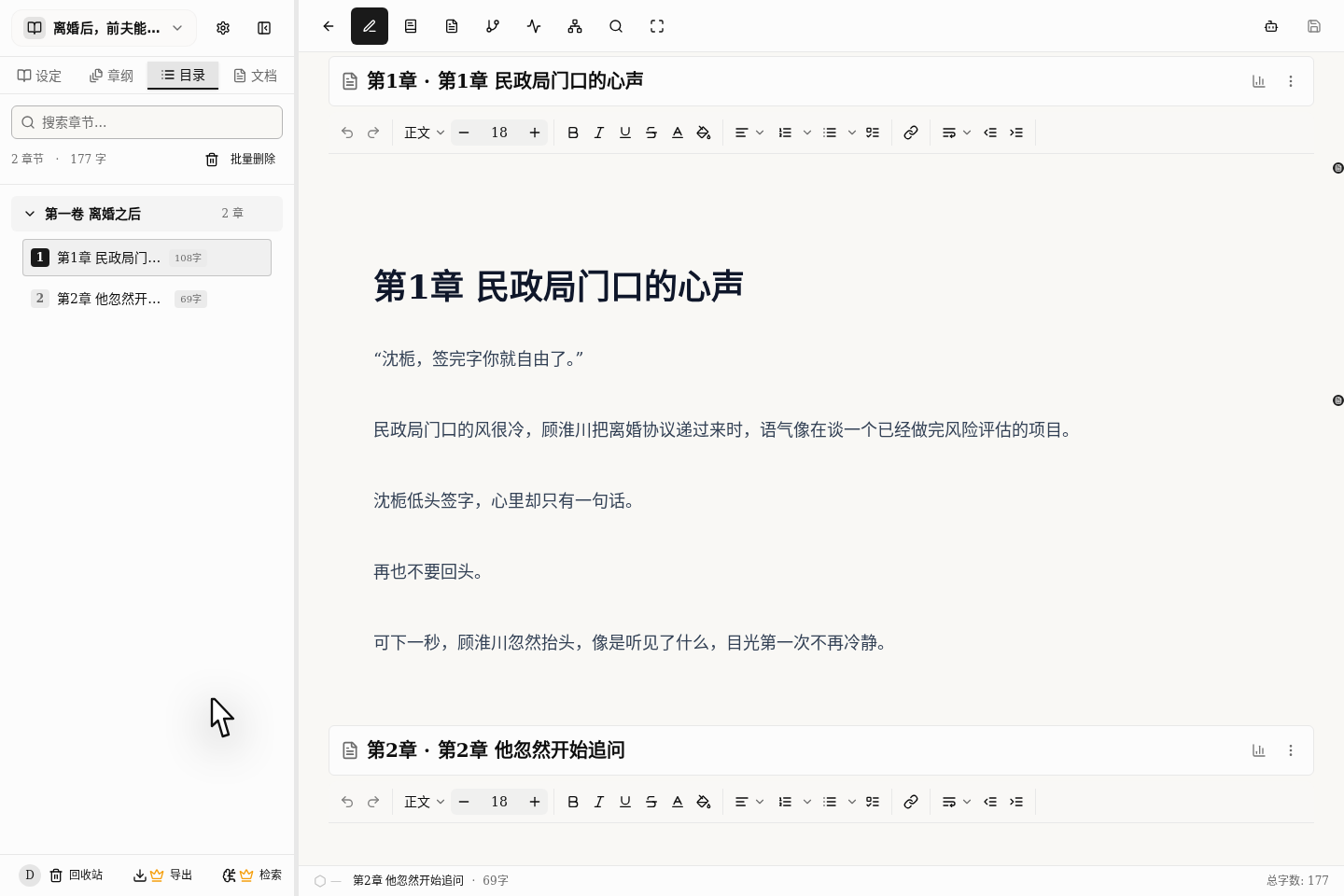
Your First Chapter in 10 Minutes: The Fastest Path to Results
Want to see AI writing in action? Open a book from a one-line premise, let AI draft the chapter outline, then the prose. About 10 minutes, with screenshots.
Read the tutorial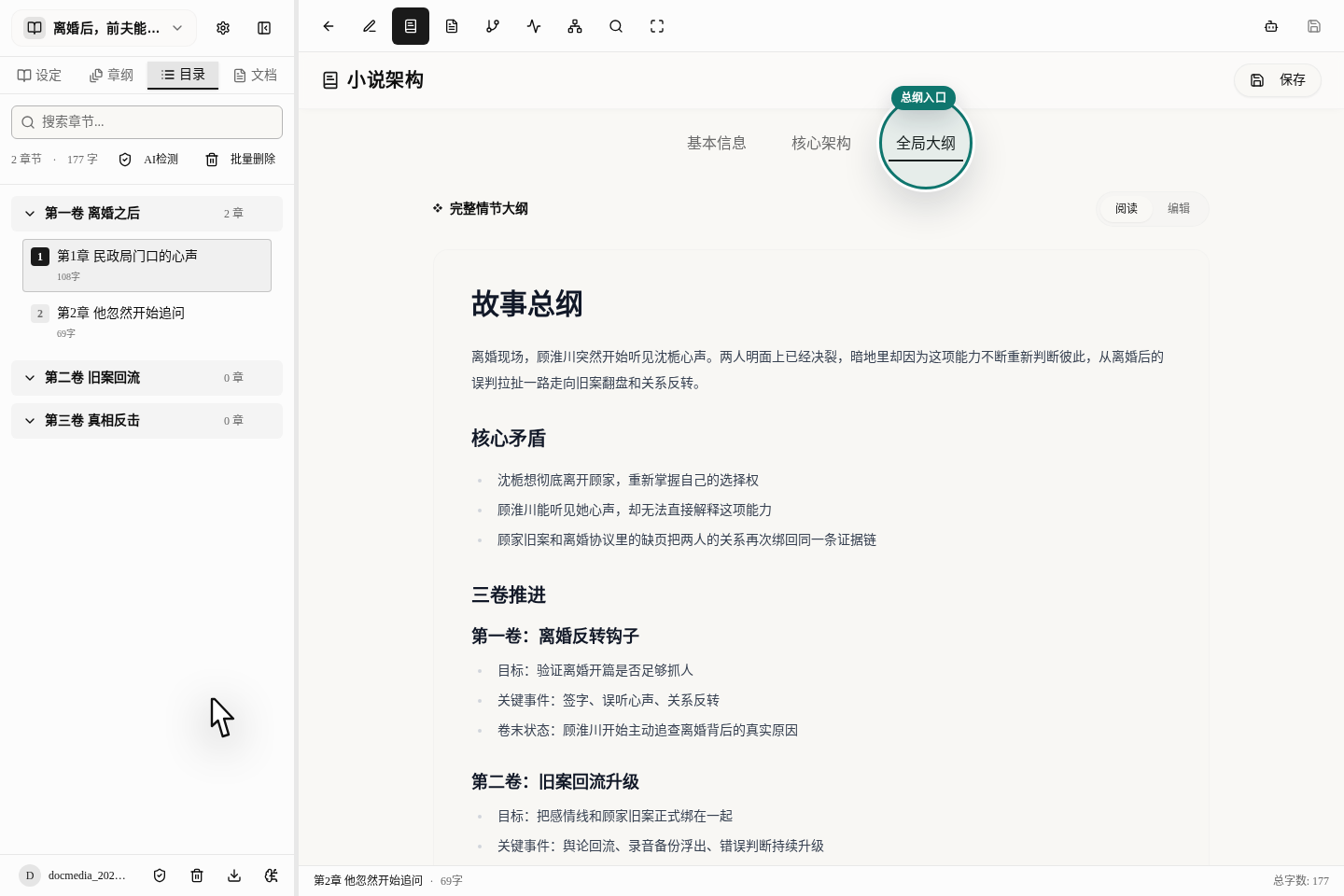
Building a Three-Level Outline: Master Plan, Volumes, Chapters
Build a long novel's skeleton in three layers: master outline for the ending, volume outlines for stage peaks, chapter blueprints for each chapter's conflict.
Read the tutorial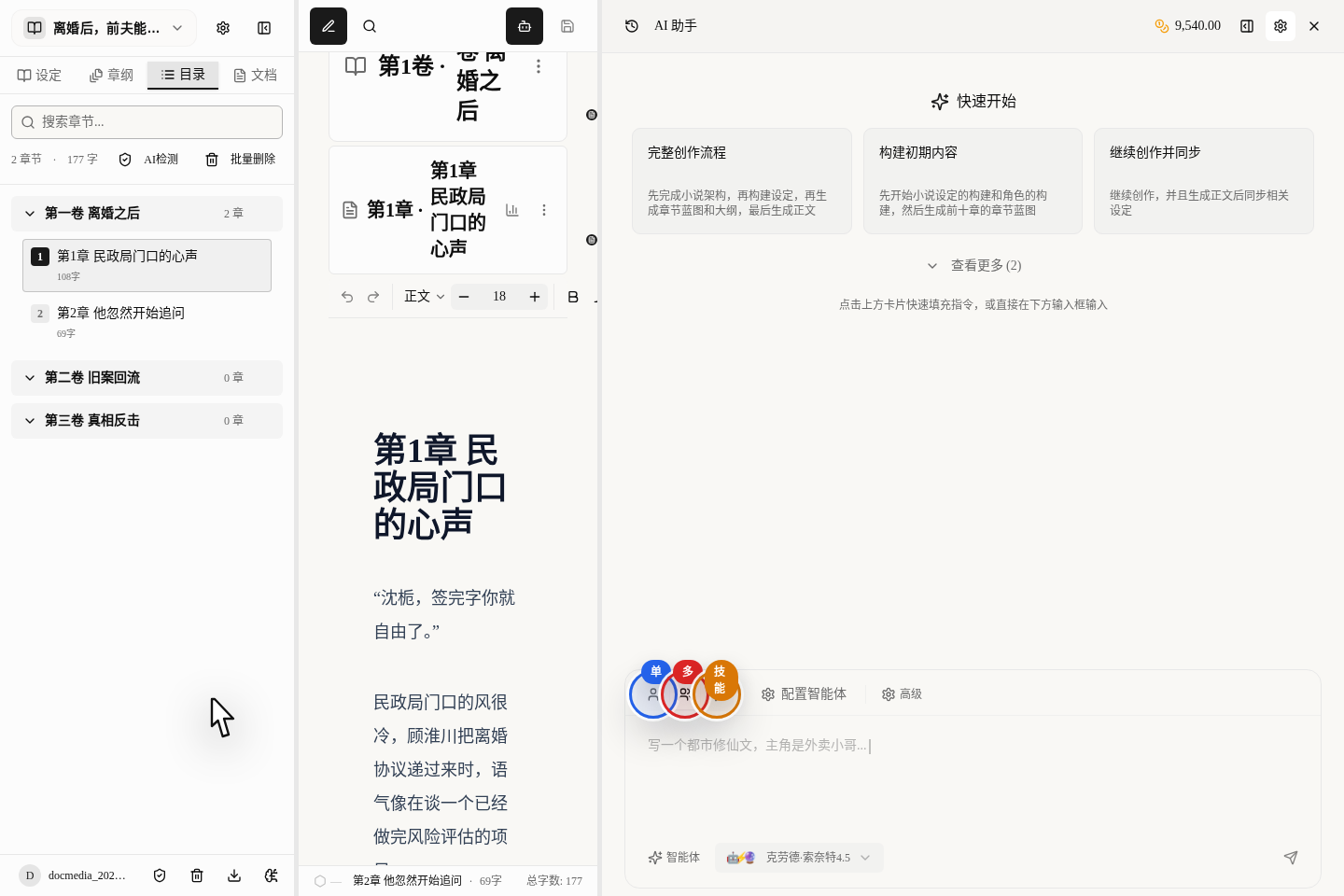
Choosing a Collaboration Mode: One AI or Several Working Together
One AI suits polishing sentences; several suit outlining or full chapters. When to use each, with speed, credit costs and a task comparison table.
Read the tutorial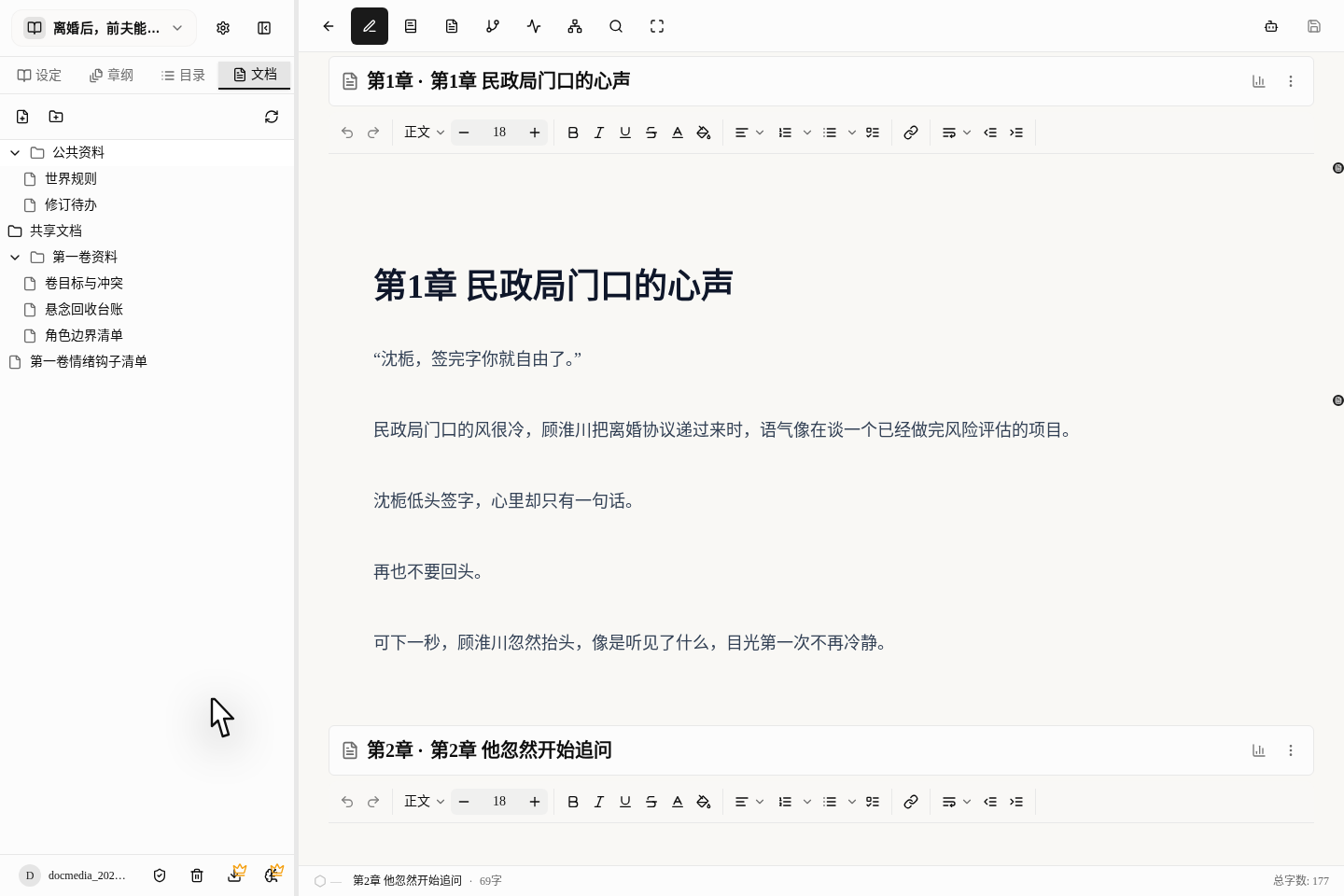
Organize Notes and Materials: Keep Ideas and Foreshadowing Together
Build folders for your materials, turn ideas into notes you can look up anytime, and track unfilled plot threads with a foreshadowing ledger and to-do list.
Read the tutorial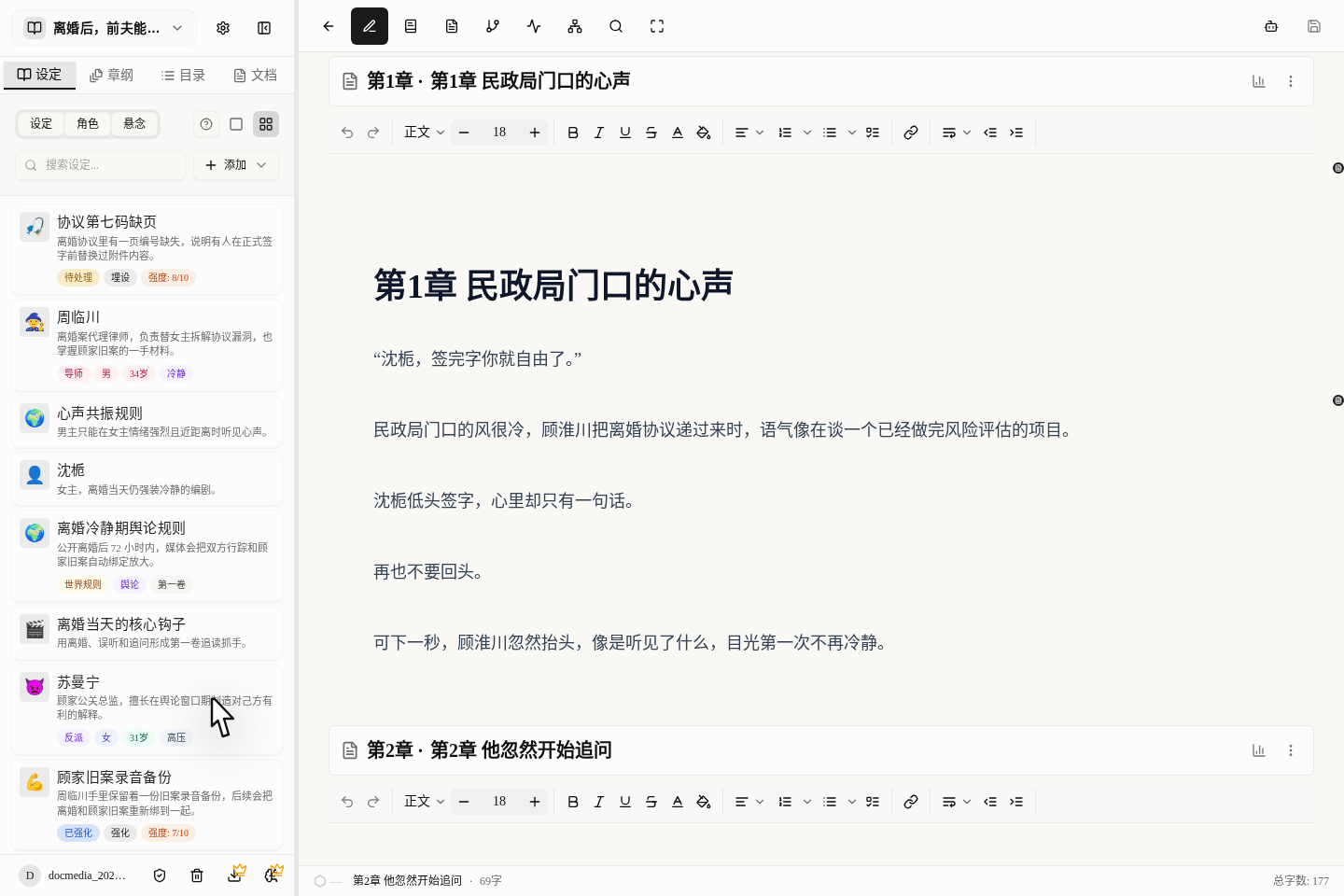
Managing Characters, Worldbuilding and Suspense: The Left Sidebar
The left sidebar of the writing page manages characters, settings and suspense in one place: how to find it, create cards and look things up with floating cards.
Read the tutorial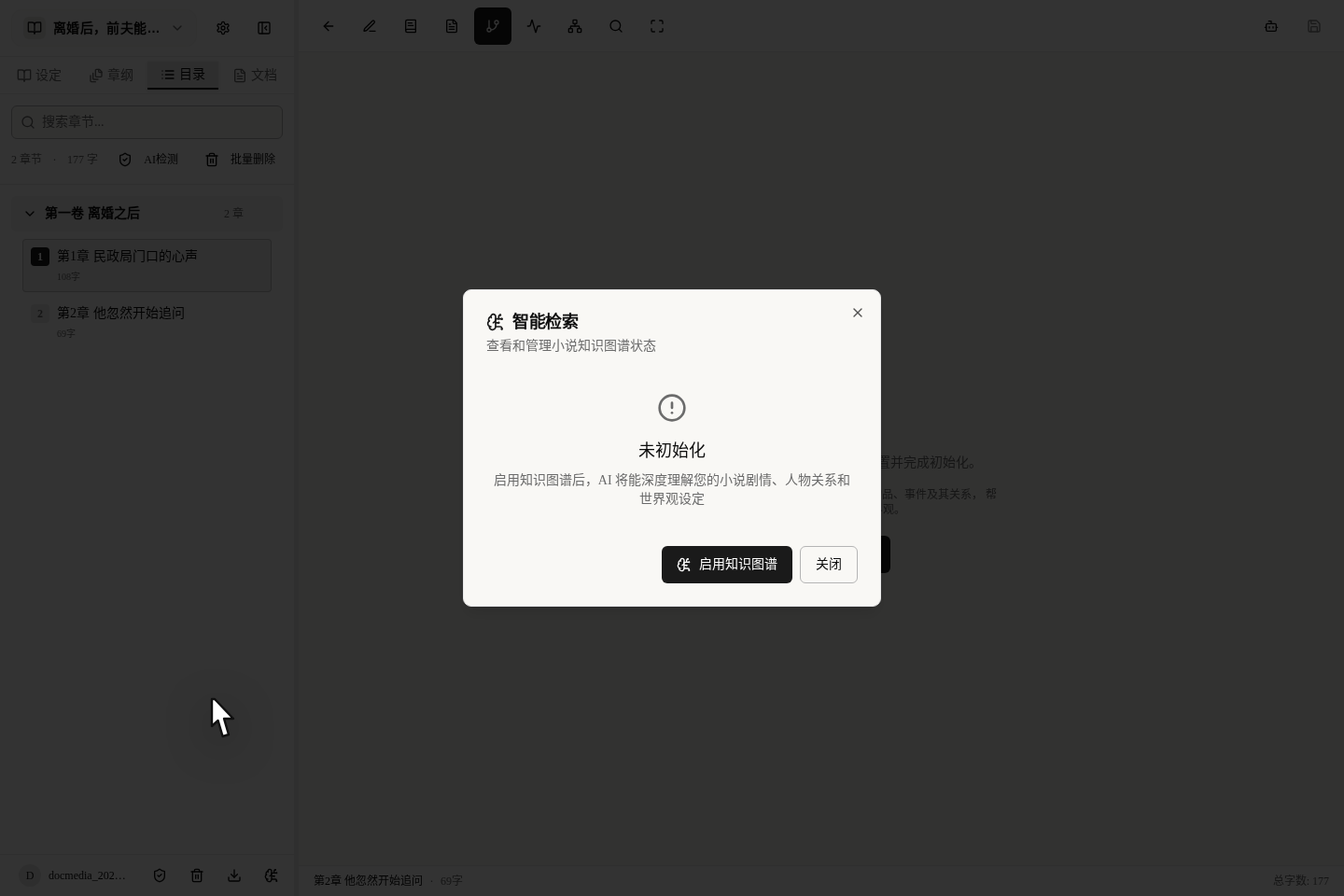
Keep Characters From Forgetting and Settings From Contradicting
Use the knowledge graph to catch forgotten settings and continuity errors and check consistency, so a 300,000-character novel stays on track.
Read the tutorial
Browsing the Public Library: Find Hits and Learn Their Tricks
Learn from hit-book breakdowns—knowledge graphs, pacing analysis, Q&A reports. Find benchmark books by genre and know which sections to read first.
Read the tutorial
Write to a Hit Book's Rhythm: Using Imitation Writing
Learn a hit book's rhythm in the home page imitation area: pick a reference, set parameters so AI learns structure not content, then rework the result.
Read the tutorial
Choosing AI Models and Managing Credits: Good Results, Lower Cost
Model prices and quality vary widely: a light model suits outlines, a top tier only pays off for prose. Pick models by task, save common combinations as preferences, and track every credit charge in the credits panel—so the same credits stretch tens of thousands of words further, without wasting money over a long serial.
Read the tutorialGetting started
Start from zero and learn, step by step, how to create your first book and write your first chapter.
New to Maliang Writer? Start Here
What to click after signing up, how to create your first book and open the editor: about 10 minutes from the home page to your first paragraph, with screenshots.
Read the tutorialHome Page Quick Start or Draft Import: Which One Fits You
Use the home-page box to test an idea fast; use TXT import to migrate an existing draft. The two entries suit different cases, and this page shows both paths in full.
Read the tutorialManage Your Bookshelf: Create New Books and Find Old Ones
Create novels on your shelf, filter by category and status, and jump back to where you last wrote. Multi-book authors also learn to archive paused books.
Read the tutorialYour First Chapter in 10 Minutes: The Fastest Path to Results
Want to see AI writing in action? Open a book from a one-line premise, let AI draft the chapter outline, then the prose. About 10 minutes, with screenshots.
Read the tutorialWorkspace and data
Find out where to talk to the AI and how to read your word count and progress.
The Editor's Right-Hand AI Assistant: Your Main Chat Entry
The AI chat entry you will use most sits on the right of the editor. Learn where it is, how the panel is laid out, and how to browse history and resize the panel.
Read the tutorialUsing the AI Assistant While You Write: Chat, Modes and Approvals
Open new chats, switch between quick Q&A and multi-agent mode, approve AI content before it enters your prose, and manage history without losing context.
Read the tutorialSee How Much You've Written: Word Count, Progress, Recent Updates
Which book is fastest, which is stuck, which to update first: read word counts, completion and recent updates, and set weekly priorities by data.
Read the tutorialShow the AI Only What It Needs: Context Assembly Settings
How much does the AI read, and how many credits does it burn? Configure context assembly item by item: full or names-only settings, outlines on demand, live token estimate—so the same credits stretch tens of thousands of words further, with less drift.
Read the tutorialCustom Agents: Give Each AI a Persona and Its Own Knowledge Base
Custom agents: four persona fields, 'gold-medal editor' prompt, agent/mode binding, one-click official templates to adapt—same prompt, new style.
Read the tutorialPlanning and generation
Build the story skeleton first, then let the AI flesh it out.
Building a Three-Level Outline: Master Plan, Volumes, Chapters
Build a long novel's skeleton in three layers: master outline for the ending, volume outlines for stage peaks, chapter blueprints for each chapter's conflict.
Read the tutorialChoosing a Collaboration Mode: One AI or Several Working Together
One AI suits polishing sentences; several suit outlining or full chapters. When to use each, with speed, credit costs and a task comparison table.
Read the tutorialDocuments and notes
Keep your ideas, references and to-dos organized instead of losing them in the chat history.
Story bible and consistency
Keep characters and the world in order so the story never contradicts itself.
Managing Characters, Worldbuilding and Suspense: The Left Sidebar
The left sidebar of the writing page manages characters, settings and suspense in one place: how to find it, create cards and look things up with floating cards.
Read the tutorialCharacter and Setting Cards: What to Write, What to Let AI Fill In
Which card fields you must fix yourself and which AI can expand, field by field: where the AI completion button is and how to proofread what it writes.
Read the tutorialKeep Characters From Forgetting and Settings From Contradicting
Use the knowledge graph to catch forgotten settings and continuity errors and check consistency, so a 300,000-character novel stays on track.
Read the tutorialCover and Character Art With AI: How to Get Images That Look Good
Draw covers, character portraits and setting illustrations with AI: where the entries are, how to write prompts that work and how to keep one consistent style.
Read the tutorialHide Settings and Open Them by Volume: You Control What AI Sees
Don't want AI spoiling the culprit or the final twist? Hide settings, characters and suspense from AI, or open them volume by volume. In Volume 1 the AI sees only the surface identity; the truth behind it unlocks in Volume 3. Single-item and batch demos included, so every reveal lands on cue.
Read the tutorialKnowledge base and breakdowns
See how other people's hits are written, and apply what you learn to your own book.
Browsing the Public Library: Find Hits and Learn Their Tricks
Learn from hit-book breakdowns—knowledge graphs, pacing analysis, Q&A reports. Find benchmark books by genre and know which sections to read first.
Read the tutorialAfter a Case Book: Bring Another Author's Methods Into Yours
Move a case book's character relations, pacing curves and hook formulas into your book: read graph nodes, use "Add to My Novel", then make them your own.
Read the tutorialReading Case Breakdown Reports: Turn Analysis Into Action
Read hit-book breakdown reports: contents, Mermaid charts and key conclusions. Use "Hand to Agent" and "Add to Documents" to make the methods your own.
Read the tutorialAdvanced writing
After the first draft: how to give your prose more tension and make it sound less like AI.
Write Prose or Organize Materials: Switch Between Two Views
Two mindsets: writing prose, organizing materials. Switch between immersive and document views, and know when to file new settings and foreshadowing.
Read the tutorialWrite to a Hit Book's Rhythm: Using Imitation Writing
Learn a hit book's rhythm in the home page imitation area: pick a reference, set parameters so AI learns structure not content, then rework the result.
Read the tutorialFind Your Weakest Chapters: Pacing Analysis and Comparison
Pacing Analysis scores each chapter on density, emotion and suspense, benchmarks it against hits, and sends the weakest chapters to the Agent for revision.
Read the tutorialSpot and Remove the AI Tone: Make Your Text Read Human
Does your text sound like AI? Use AI Detection to mark AI-sounding passages, by chapter or in batches, then launch a corrective rewrite in one click.
Read the tutorialRemoving AI Tone From Your Text: Three Common Entry Points
Remove the AI tone three ways: from prose highlights, the right chat panel, or in batches from the chapter list. When to use each, and how rechecks work.
Read the tutorialModels and account
Pick the right model to save money, and understand credits so you don't waste them.